Discord for Game Developers: Setup, Playtests and Wishlists
When to open a Discord for your game, the channels and roles Discord recommends, Onboarding, AutoMod, playtests, and what it really does for wishlists.
Short answer: Open a Discord server for your studio before you start posting about your game, so that a post that takes off has somewhere to send people besides a Steam page. Chris Zukowski lists talking about your game without a Steam page, a mailing list or a Discord server as a common marketing mistake. Start small: Discord's own game developer guide recommends a handful of channels, a couple of roles, a short onboarding flow and AutoMod. Treat the server as a place to keep people who already found you, and to run playtests with them. It is not a discovery channel, and nobody has published data showing that the size of a server drives wishlists on its own.
When to open a server for your game
Discord is for people who already know your game exists. Zukowski calls it one of the best mid-funnel channels for reaching people who have heard of your game but still need a push to buy it. That defines the timing. You need the server ready before the first traffic arrives, not after.
The practical rule from his 60 mistakes ebook: before you share anything, have at least a mailing list or a Discord server, so that if a post goes viral you can tell people to join and stay reachable. In practice that means opening the server around the time you put up your Steam page (see when to make a Steam page).
Two more decisions to make on day one:
- One server per studio, not per game. The same ebook argues for one social account "and Discord and everything else" per studio, so the people who bought your first game are already there for your second.
- Do not make Discord your only list. Zukowski also warns that Discord, like any platform, is run by a company you do not control, and recommends an email list as the channel you own. Run both. Post the mailing list signup in your announcements channel.
Turn on Community first
Most of the useful tools sit behind Community mode (Server Settings, Enable Community). According to Discord's help center, enabling it requires:
- a verification level where members need a verified email before they can send messages or DM anyone in the server,
- the explicit media content filter scanning media from all members,
- a rules or guidelines channel,
- a channel for Discord's community updates to moderators.
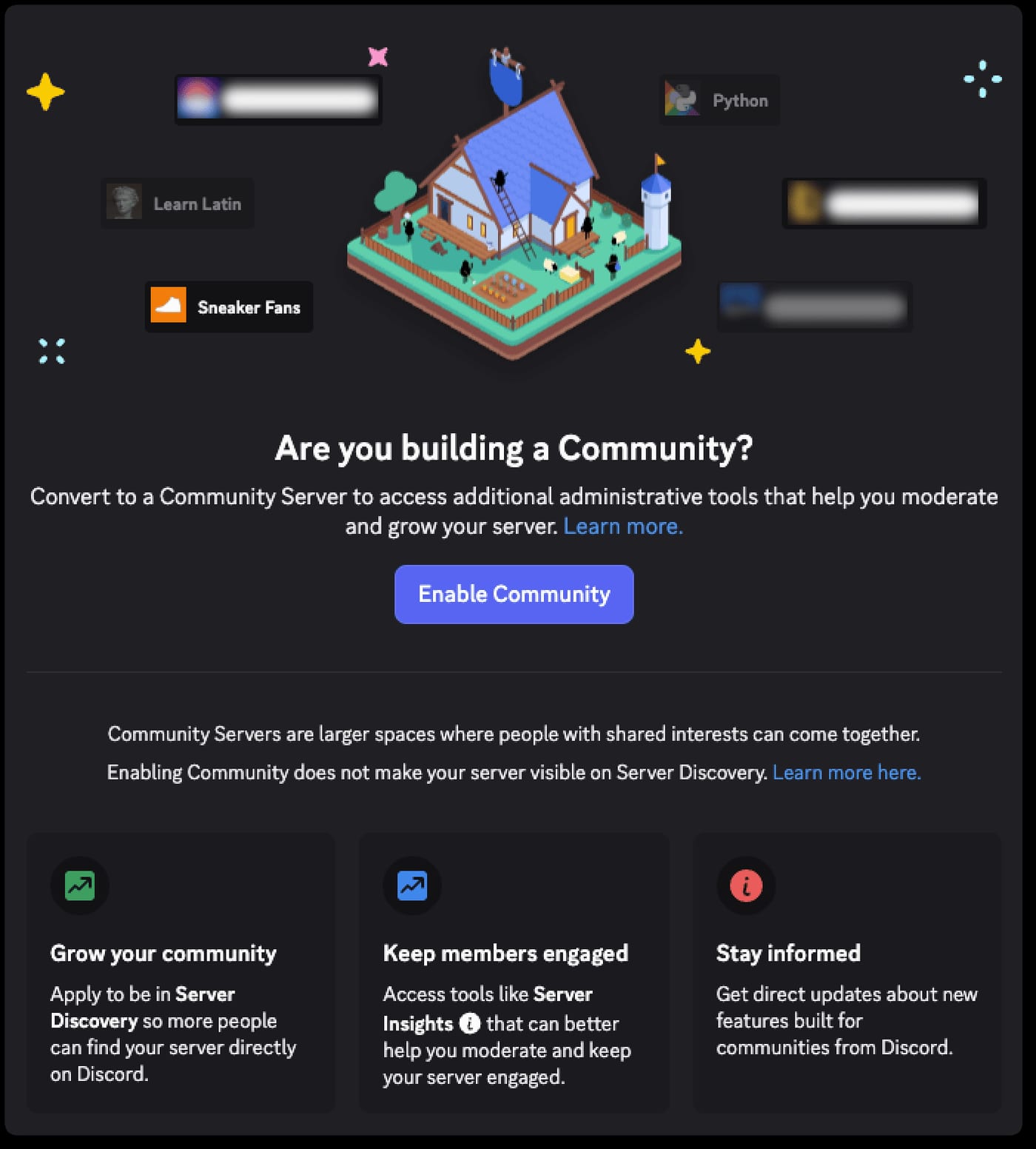
In return you get announcement channels that other servers can follow, Server Insights, Community Onboarding and eligibility for Server Discovery. Discovery is currently limited to servers with more than 1,000 members plus Partnered and Verified servers, so do not plan your growth around it. Discord's developer guide says Insights becomes available at 500 members.
A minimal channel structure
Discord's developer guide tells you to start small. This is its structure, lightly annotated:
| Channel | Type | Who can post | Purpose |
|---|---|---|---|
| #rules-and-info | Text, read only | Staff | Rules, links to Steam page and mailing list |
| #announcements | Announcement channel | Developer and Moderator roles | Devlogs, playtest dates, Steam events |
| #game-discussion | Text | Everyone | General talk about the game |
| #feedback | Forum | Everyone | One post per suggestion, tagged "Under Review" or "Implemented" |
| #bug-reports | Forum | Everyone | Post guidelines ask for steps to reproduce, platform, game version |
| #dev-chat | Private | Team only | Internal discussion |
| #admin-log | Private | Team and mods | AutoMod alerts, bot logs, moderation actions |
| #off-topic, #lfg | Text, optional | Everyone | Add when there is demand |
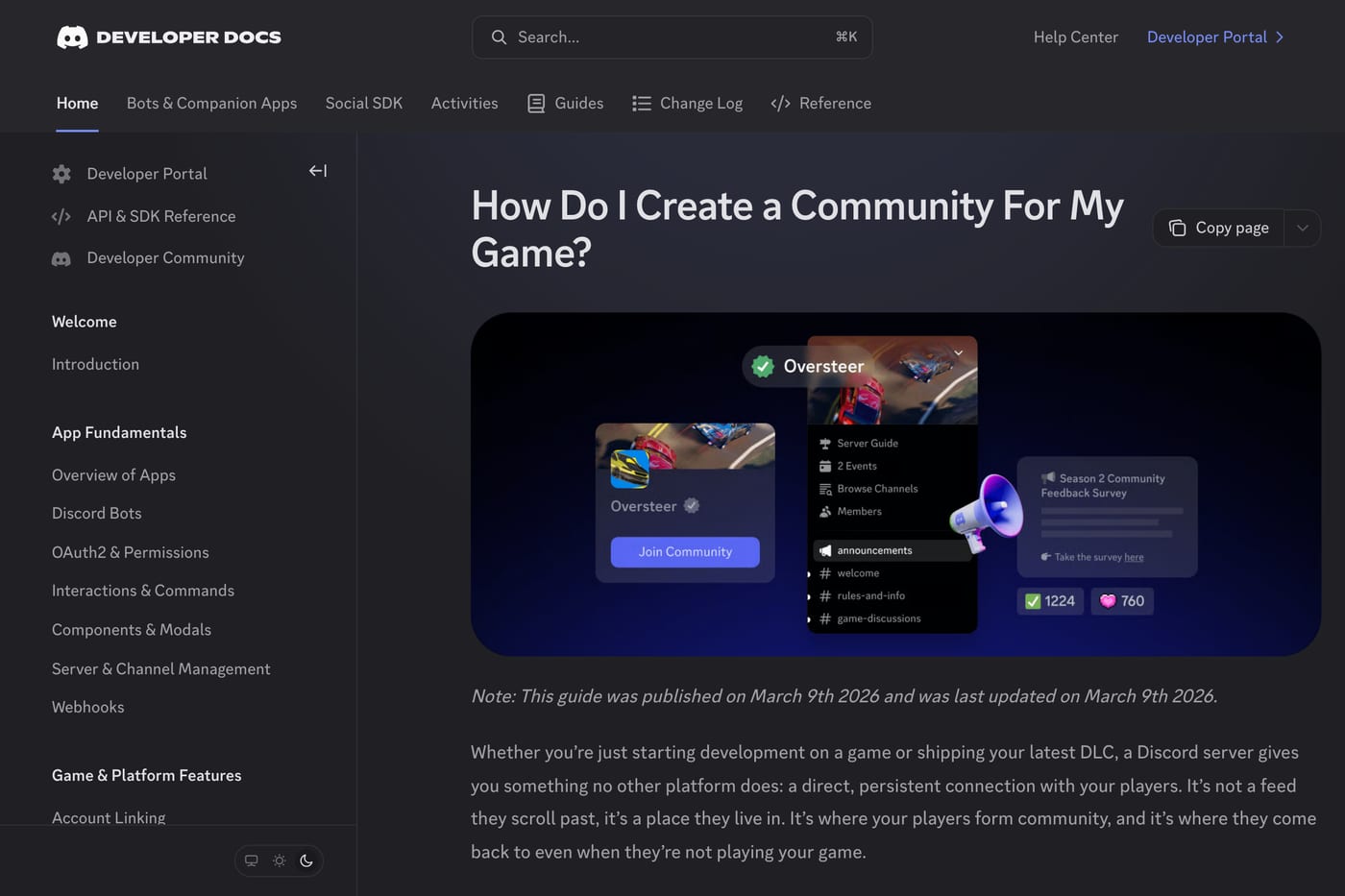
Two practical notes. First, make #announcements a real Announcement channel so members can follow it into their own servers. Second, Community Onboarding has a hard requirement: Discord's onboarding FAQ says you must select at least 7 Default Channels, and at least 5 of them must allow @everyone to view and send messages. With two read-only channels at the top, that is why most game servers end up adding #off-topic and #lfg (or a #screenshots or #fan-art channel) earlier than they planned.
Roles and onboarding
Start with the roles the guide suggests:
- @Developer (or Staff), so players can spot team replies at a glance.
- @Moderator, for volunteers who need to moderate but should not manage channels, the server or webhooks. The guide calls this one optional at the start but helpful as the server grows.
Lock down permissions per channel. In #announcements, everyone can read and react, and only Developer and Moderator can send. In #feedback and #bug-reports, everyone can post and reply, but only Moderator and above manage threads. In #dev-chat and #admin-log, remove View Channel for @everyone. Use Server Settings, Roles, View Server As Role to check what each role sees before you share the invite.
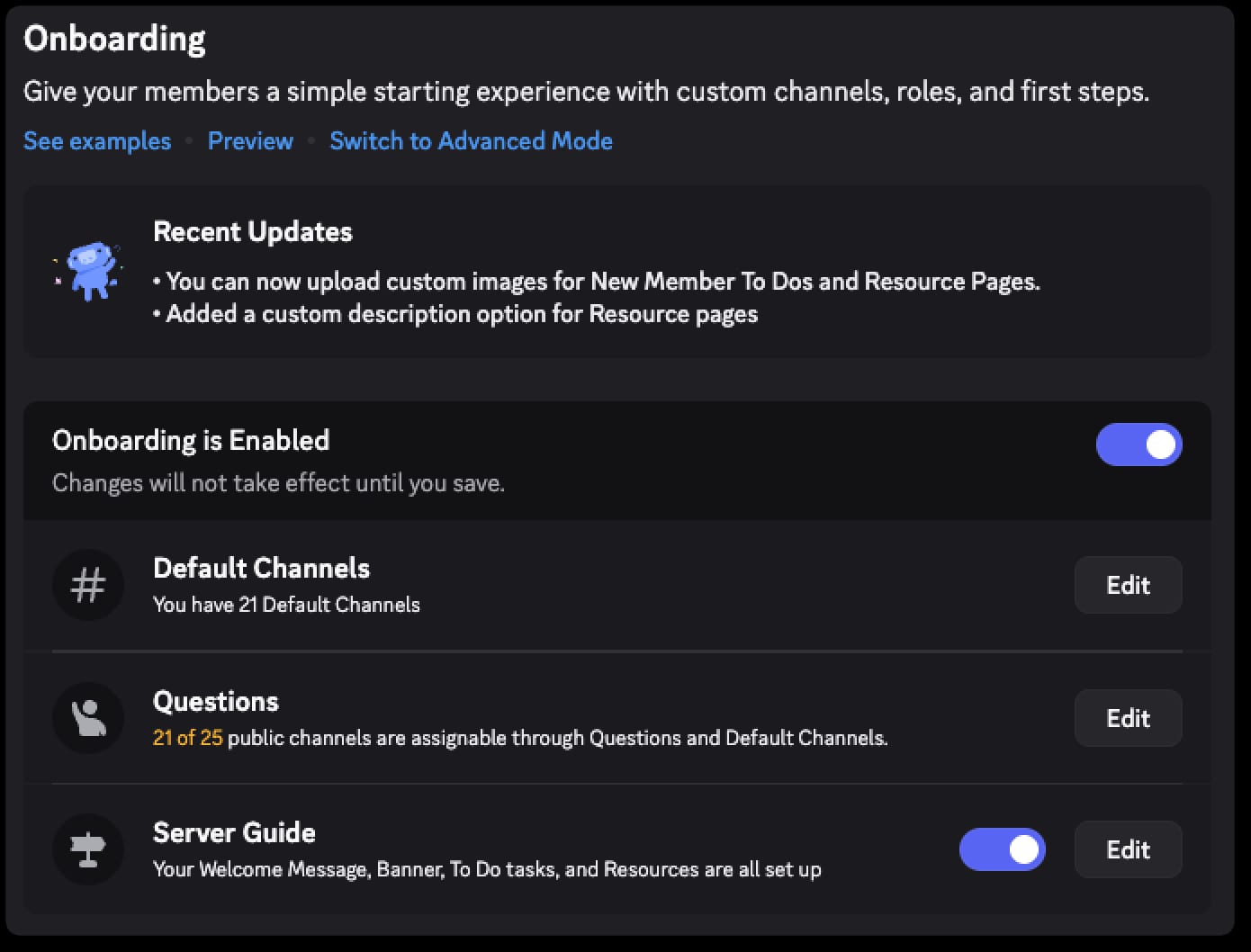
Then set up Community Onboarding (Server Settings, Onboarding). New members answer a few questions that hand them roles and channels, and they can change answers later in the Channels & Roles tab. The guide's advice is to keep it to a rules acknowledgment and one role selection. A good first question for a game server is "Why are you here?" with answers like "I want to playtest" (gives a @Playtester role and the playtest channel) and "Just following the game" (announcements only).
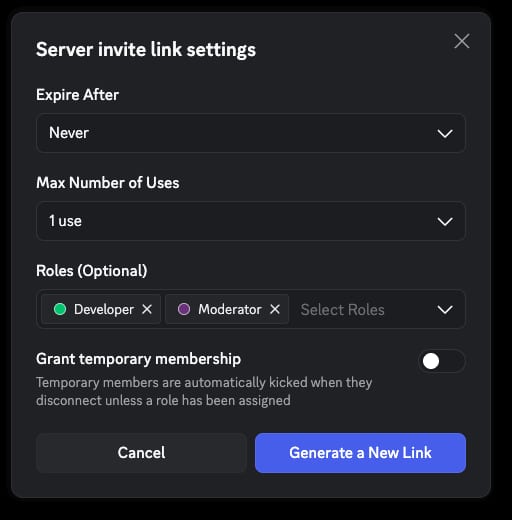
You can also use role-assigning invites. Discord's guide notes that an invite can grant a role such as Beta Tester on join, and the role stays after the invite expires. That makes a dedicated invite link in your playtest signup email an easy way to sort testers from everyone else.
Moderation and AutoMod
A new server for a small game is a target for scam links long before it is a target for anything else. Set this up before you post the invite:
- Safety Setup. Require a verified email or phone for members (Server Settings, Safety Setup, DM and Spam Protection), and turn on Raid Protection and CAPTCHA. Per the onboarding FAQ, Raid Protection uses machine learning to detect a likely join raid, alerts you and can require CAPTCHA for new joiners for the next hour.
- AutoMod. The AutoMod FAQ describes ready-made word lists (insults and slurs, sexual content, severe profanity), custom keyword rules, a Block Spam Content filter and a Block Mention Spam limit. Route all alerts to #admin-log, which only staff can see. Note that admins and users with Manage Server are always exempt, so test rules from a normal account.
- Team accounts. Discord's guide recommends requiring 2FA for moderator actions and checking that @everyone has no risky permissions.
- A simple ladder. Warn or time out for most problems. Ban immediately only for spammers, disturbing content and obvious disruptors. Log every action and its reason in #admin-log.
The developer guide's view is that a server of a few hundred members is manageable with AutoMod and a light touch. You do not need a moderation team on day one, but recruit one or two trusted regulars before a big moment like a demo or a Next Fest.
Running playtests and feedback on Discord
This is where a small server earns its keep. Parcel Simulator's solo developer told Zukowski he spent a few months doing private playtesting with about 15 people from his Discord before launching a demo. That is one developer's report, but it shows the realistic scale: you need a handful of committed testers, not thousands of members.

A workable setup:
- Gate access. For a closed test, hand out builds or keys only to the @Playtester role in a private channel. For a larger test, use Steam Playtest, where signups appear on your main store page and you can admit players in batches (Limited) or automatically (Open). Valve notes that joining or leaving a playtest does not affect a player's wishlist for your game.
- Decide where feedback goes. Valve's playtest documentation says collecting feedback is up to you and lists a Discord channel as one option, alongside Steam forums, bug trackers and your own site. Announce the channel through Steam events so non-Discord players can find it.
- Do not rely on chat alone. Zukowski found that an in-game button linking to Discord rarely leads to direct feedback. His fix is an in-game "Feedback" button that opens a short survey, five questions at most. Use Discord for the conversation and bug reports, and a form for structured answers.
- Close the loop. Tag forum posts as Under Review or Implemented, and credit the players whose reports led to fixes in your patch notes. Discord's guide calls this out directly, and it is the cheapest retention tool you have.
If your demo is headed for a festival, run these tests months ahead (see our Steam demo marketing guide).
How to grow it from Steam and socials
Discord will not find members for you. In a 2022 GameDiscoverCo issue, a 505 Games staffer noted that most players do not use Server Discovery to find new servers. Growth comes from the places people already see your game:
- Your Steam page. Valve's store rules forbid links in the description, but there are dedicated link fields for social platforms. Since July 2024 adding them is a plain text field, and Discord is one of the supported platforms.
- Inside the game. Discord's guide suggests the main menu, the credits and contextual moments, like prompting a solo player in a multiplayer game to find a group. Use a permanent invite everywhere; expired links break silently.
- Everything you publish. Social bios, trailers, devlogs and your press kit. A devlog with a clear "discuss this in #game-discussion" line converts readers into members better than a bare link.
- Claim your game. If your game is on Steam and playable, its store page links to your server, and you have a Discord Developer Portal team that includes the server owner, Discord's guide says you can claim the game for a verification checkmark, a vanity invite URL and a game profile.
Keep the server alive with a rhythm you can sustain. Discord's guide suggests about one well-run event a month (a short developer AMA counts) and says one developer reply a day does more than a monthly wall of text.
What a Discord realistically does for wishlists and launch
Be careful here, because most claims online are guesses. What the sources support:
- It holds attention you earned elsewhere. Zukowski's case for Discord is capturing people when a post takes off, not generating reach. The horror game Infinitum announced its Steam page to its Instagram following of 50,000 and a Discord of 3,000, and its later wishlist spike came from a viral Instagram Reel, not from the server.
- It makes playtests and demos better. The Parcel Simulator example above is the clearest sourced link: a small Discord test group before a demo that then outperformed during Next Fest. Zukowski credits that overperformance mainly to streamer interest, not the server.
- It gives you a direct line at launch. On release day you can ping @everyone in #announcements with the Steam link. That is a notification to people who opted in, which is the mid-funnel role Zukowski describes.

What no source shows: a ratio of Discord members to wishlists, or evidence that a bigger server ranks you higher on Steam. Raw member counts also mislead. The same GameDiscoverCo piece notes that large servers fill up with inactive members and that Discord often wants servers to prune members inactive for 30 or more days. Judge your server by active members and by how many testers show up, not by the headline number.
If you are starting from zero followers, Discord is step two, not step one. Reach comes first, from social posts, festivals or creators putting your game in front of new players (our guide to marketing a game with no audience covers that), and the server is where you keep the people who arrive.
FAQ
Should every indie game have a Discord server?
Have one, or a mailing list, ready before you start promoting, so interested players can stay in touch. Run one server for your studio rather than one per game.
How many channels does a game Discord need?
Start with the five public channels from Discord's guide plus two private staff channels. Community Onboarding needs at least 7 Default Channels, with 5 that everyone can post in, so add #off-topic or #lfg when you enable it.
Can I link my Discord on my Steam page?
Yes, through the dedicated social link fields in the store page editor. You cannot put links in the game description itself.
Is Discord or Steam Playtest better for running a playtest?
Use Discord for small closed tests and feedback discussion, and Steam Playtest when you need to admit hundreds or thousands of players. Steam Playtest does not change anyone's wishlist status.
Do Discord members count as wishlists?
No. A member is not a wishlist. Ask members to wishlist in your announcements and keep a mailing list as well.
How do I stop scam bots in a new game server?
Require a verified email, turn on Raid Protection and CAPTCHA, enable AutoMod's spam and keyword filters, and send alerts to a private staff channel.
Sources: Discord developer guide for game communities, Discord: Enabling Your Community Server, Discord: Community Onboarding FAQ, Discord: AutoMod FAQ, Steamworks: Steam Playtest, Steamworks: Store page rules, Game Developer on Steam social links, How To Market A Game: 60 mistakes ebook, How To Market A Game: Parcel Simulator, GameDiscoverCo on Discord discovery; checked November 2026.
Get a wishlist forecast for your game
Send us your Steam page. We estimate views, creators and cost per wishlist before you spend anything.
Keep reading
How Many Copies Do Indie Games Sell? Real Steam Numbers by Tier
Most Steam indie games sell under 1,000 copies. Real numbers by tier…
Game Marketing Hook: How to Find, Test and Show Yours
What a game marketing hook is, how to test one cheaply with…
How to Name Your Game: Searchable, Memorable and Legally Safe
How to name your game: pass the Steam, Google and trademark checks…