Steam Tags Explained: How They Work and How to Choose Them
How Steam tags drive visibility, why only the top 20 count, how the Tag Wizard works, and how to pick specific tags that reach the right players.
Short answer: Steam tags decide which players Steam shows your game to. You need at least 5 before launch and Valve recommends up to 20, because only the top 20 are visible and used for visibility: tag pages, More Like This and recommendations (Steamworks tag docs). Your top 5 should describe the game clearly, specific tags like "Party-Based RPG" carry far more weight than broad ones like "Action", and players add tags too, so check yours regularly.
How Steam tags work
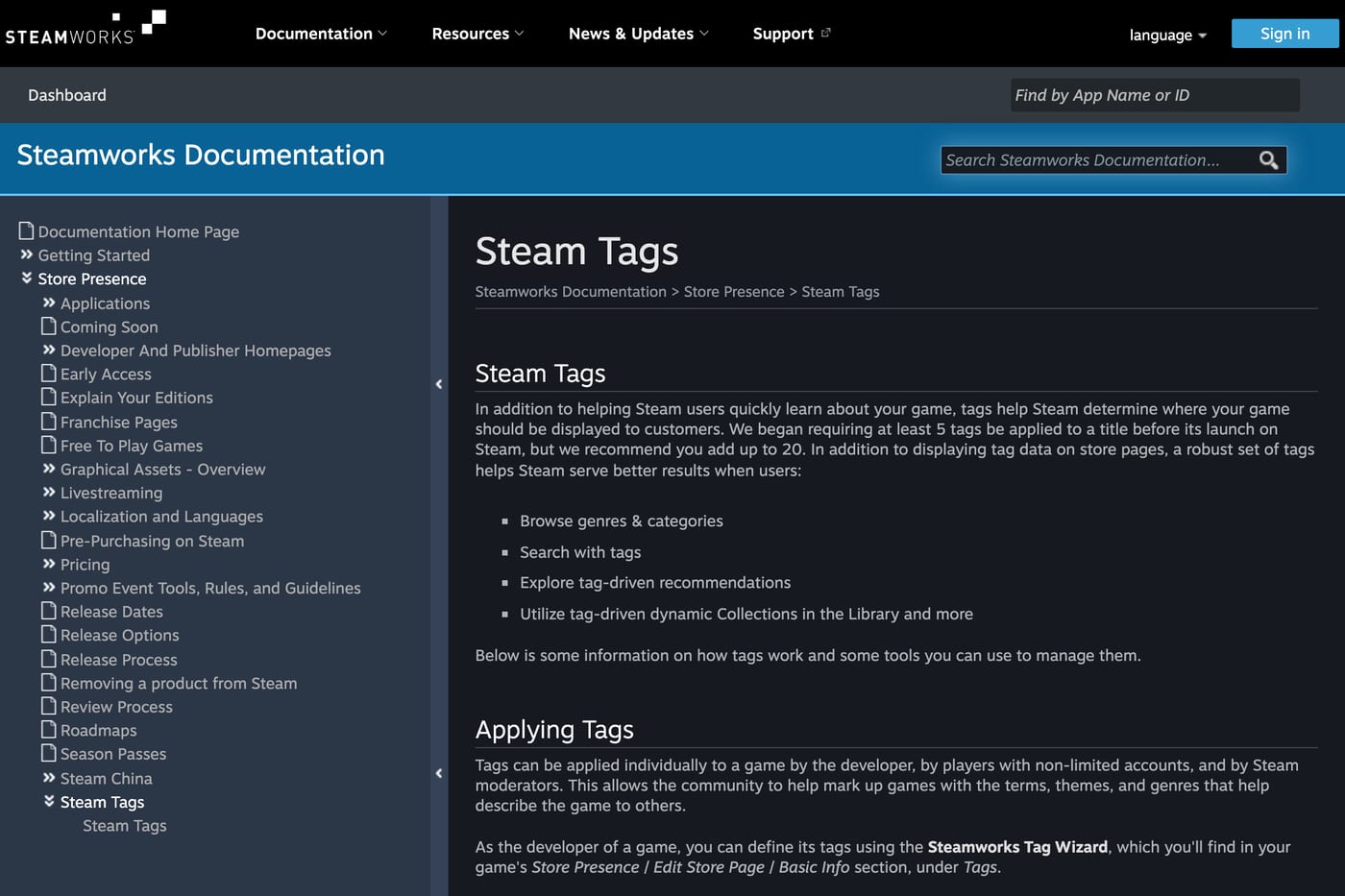
- Who applies them: you, players with non-limited accounts, and Steam moderators. Player tags are mixed in with yours, and the more players apply a tag, the more weight it gets.
- How many count: at least 5 before launch, up to 20 recommended. Only the top 20 are shown to players and used by Steam.
- Order: tags are shown by weight. The top 5 are also used to describe your game in parts of the store, and some store filters use the first 15.
- Translation: tag names are translated, but the order stays the same in every language.
Source: Steamworks tag docs.
What tags control
| Where | How tags are used |
|---|---|
| Tag pages and browse views | Your top 20 tags decide which ones you can appear on |
| Recommendations | Overlap between several tags matters more than their order, and some recommendation algorithms weigh rare tags more |
| More Like This | Uses your top 20 tags to pick similar games |
| Search | Tags appear as filters next to search results |
| Personalised hubs | Tag and genre hubs are tailored to each player's history and wishlist (Valve, 2022) |
Valve's own example of weight: "Action" matters very little, while "Party-Based RPG" has much more influence. Almost every game has the broad tags. The specific ones are what put you next to the right games.

Tags are one of the few visibility inputs you control directly. The others, sales and playtime, you can only influence. The full picture is in how Steam's algorithm decides who sees your game.
The Tag Wizard
You set tags in Steamworks under Store Presence, Edit Store Page, Basic Info, Tags. The Tag Wizard walks you through groups like these:
- Genres, from super-genre to sub-genre. Valve's example: Super Meat Boy is Action, Platformer, Precision Platformer.
- Visuals and viewpoint: 2D or 3D, camera, art style.
- Themes and moods.
- Features: mechanics, design elements, player activities.
- Player support: singleplayer, co-op, multiplayer and so on.
It also suggests tags from similar games, from your description and from tags players have already applied. Valve introduced it in 2020 after finding "a common failure to apply genre and sub-genre tags" across the catalog (Valve, 2020). Publishing tags is a separate step from publishing the store page, and demos inherit the base game's tags.
Suggest Prioritization
The wizard has a button that reorders your tags, moving specific ones like sub-genres up and generic ones like "Indie" or "Singleplayer" down. Valve calls it "a very simple algorithm" that "has no knowledge of what your game is actually like." Use it as a starting point, then fix the order yourself.
How to choose your tags
- Start with three close competitors. Look at the top 20 tags on the store pages of three successful games most like yours. Note the specific tags they share.
- Lead with genre and sub-genre. Your top 5 should tell a stranger what the game is: genre, sub-genre, the core mechanic, the setting or mood, and the player mode.
- Prefer specific over broad. "Colony Sim", "Deckbuilding" or "Precision Platformer" put you next to the right games. "Indie", "Casual" and "Action" barely help.
- Be honest. Wrong tags bring the wrong players, who bounce or refund. Valve's examples of tags to remove: "Family Friendly" on a horror game, "2D" on a 3D game.
- Fill all 20. Empty slots are wasted visibility.
Keep an eye on player tags
Players can add tags to your game, and once enough of them apply one, it can climb into your top 20. Check your tags every few weeks and after big moments like a festival or a creator campaign, when many new players arrive. To remove a tag, go back to the Tag Wizard, or click "+" next to the tags on your store page and flag the wrong one.
Tags change over time
Valve updates the tag list. In May 2026 it added 17 tags (among them Bullet Heaven, Desktop Companion, Cleaning and Zoo), removed 28, and merged or renamed a few: Clicker became Incremental and Conversation became Dialogue Heavy (Valve, 2026). After an update, re-run the wizard to see if a new tag fits your game better. Steam also runs themed fests around tags, so a new tag can be your way into a fest. Dates are in Steam sale dates 2027.
Tags and your marketing
Tags decide who Steam shows you to once people start buying. Creator videos and ads decide who arrives in the first place. The two should point at the same audience: if your tags say cozy farming sim, your creators should be the ones cozy players follow. Our genre benchmarks for creator campaigns are in cost per wishlist by genre, and the rest of the store page is in the Steam store page checklist.
FAQ
How many tags can a Steam game have? You need at least 5 before launch and Valve recommends adding up to 20. Only the top 20 are visible and used for visibility.
Do Steam tags affect visibility? Yes. Your top 20 tags decide which tag pages, More Like This lists and recommendations you can appear in, and some recommendation algorithms weigh specific tags more than broad ones.
Can players change my game's tags? Players can apply tags, and widely applied ones can enter your top 20. You can remove wrong tags in the Tag Wizard or by flagging them on the store page.
Does tag order matter? Your top 5 describe the game in parts of the store and some filters use the first 15, so order matters there. For recommendations, Valve says overlap between tags matters more than order.
What are the most common Steam tags? Singleplayer, on over 98,000 games, and Indie, on over 82,000, followed by Action, Casual and Adventure, per Valve's 2026 update. They're too common to help you stand out.
Sources: Steamworks documentation on tags; Valve announcements on the Tag Wizard (2020), hubs (2022) and the 2026 tag update. Checked November 2026.
Get a wishlist forecast for your game
Send us your Steam page. We estimate views, creators and cost per wishlist before you spend anything.
Keep reading
How Many Copies Do Indie Games Sell? Real Steam Numbers by Tier
Most Steam indie games sell under 1,000 copies. Real numbers by tier…
Game Marketing Hook: How to Find, Test and Show Yours
What a game marketing hook is, how to test one cheaply with…
How to Name Your Game: Searchable, Memorable and Legally Safe
How to name your game: pass the Steam, Google and trademark checks…