Steam Store Page Checklist: Every Requirement and What Converts
Every Steam store page requirement with Valve's exact limits: capsules, screenshots, trailer, description, tags, review timing and Coming Soon.
Short answer: a Steam store page needs four capsules, at least five 1920×1080 screenshots categorized as gameplay, a trailer that starts with gameplay, a short description that says what the player does, up to 20 accurate tags and an honest content survey. Valve reviews the page in 3 to 5 business days, and it must be live as Coming Soon for at least two weeks before release. Below is every requirement with Valve's exact limits, plus what makes a page convert once the traffic arrives.
Every creator video, ad and festival slot ends on this page. A page that converts makes every other channel cheaper. In our data on 105 creator campaigns, the gap between the best and worst quarter of campaigns in the same genre was more than five times, and the store page was one of the things that separated them (cost per wishlist by genre).
1. Capsules and graphics
| Asset | Size | Required |
|---|---|---|
| Header capsule | 920×430 | Yes |
| Small capsule | 462×174 | Yes |
| Main capsule | 1232×706 | Yes |
| Vertical capsule | 748×896 | Yes |
| Page background | 1438×810 | Optional |
| Screenshots | 1920×1080 minimum, 16:9 | At least 5 |
Source: Steamworks graphical assets.

- Capsules: only artwork, the game name and an official subtitle. No review scores, awards, discount text or "wishlist now" (asset rules). Update or event text is only allowed as a 14 day artwork override.
- The logo must read at thumbnail size. Most players first see the small capsule in search and recommendation rows.
- Screenshots: at least five categorized as gameplay. Since November 2026, Valve also accepts menus, concept art and in-game cinematics, as long as each is categorized correctly, but still no marketing copy on screenshots (Valve announcement). Mark at least four as suitable for all ages, or the game may be left out of some store placements.
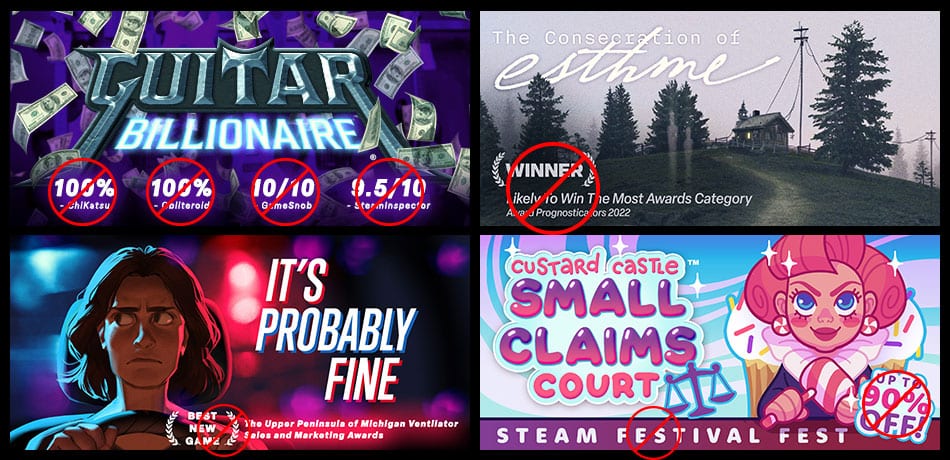
The full capsule guide, with what works and what doesn't, is in Steam capsule art: sizes, rules and what works.
2. Trailer
Valve's specs (trailer docs):
- up to 1920×1080, 30 or 60 fps, high bit rate (5,000+ Kbps);
- .mov, .wmv or .mp4, H.264 video with AAC audio;
- 16:9 preferred;
- a custom thumbnail taken from a frame of the video, ideally without text.
The first two trailers play before your screenshots. Valve "highly recommends" that the first one is mainly gameplay, and notes that in the Discovery Queue a player may give you less than 10 seconds. Make it work without sound, since many players browse muted.
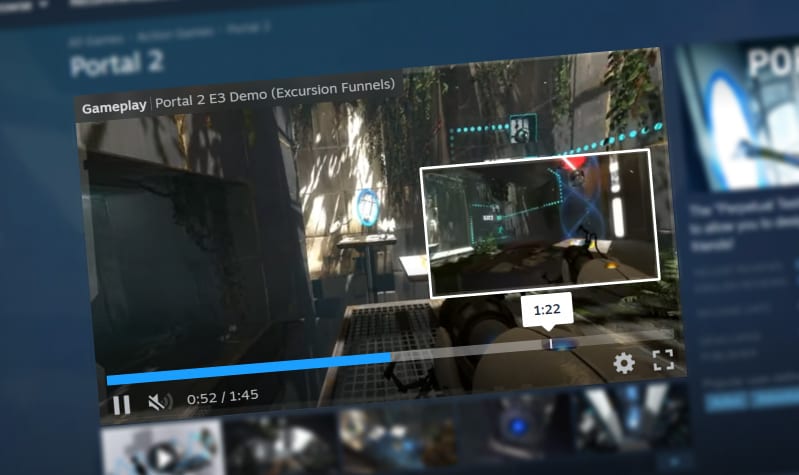
What works: open on the most watchable moment of play, not a logo or a studio intro. The first five seconds of your trailer do the same job as the hook of a short-form video. If you've run creator campaigns, the moments that got the most views are your best trailer opening. More in how to make a game trailer.
3. Short description
Valve gives no exact character count, only that it's limited to a few hundred characters, plain text, and shouldn't contain time based phrases like "Now Available" (description docs). Valve's own advice: lead with your unique value and the genre, and get to the point.
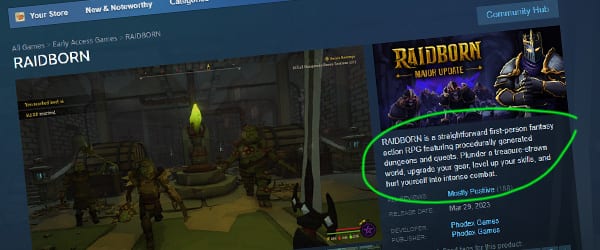
A simple formula: genre, then what the player does, then what makes it different. "A co-op horror game where you and three friends run a haunted hotel, and every guest is lying." One sentence that a stranger understands.
4. About This Game
- Images under 5MB each, and the whole section under 15MB (description docs).
- GIF, PNG, JPG, WEBP, MP4 and WEBM are supported. Recommended width is 1,170 pixels, and animations can run up to 12 seconds (extra assets).
- Not allowed: links of any kind, including QR codes and written out URLs, fake Steam buttons, and promotion of other games.
- Valve prefers images without text, because text in images has to be redone for every language.
What works: short animated clips of the core loop, each with a bold one line heading. Valve's advice is "less can be more". Players skim this section, so the first two clips should sell the game on their own.
5. Tags
- At least 5 tags before launch, and Valve recommends adding up to 20.
- Only the top 20 count for recommendations and tag pages, and some store filters use the first 15.
- The top 5 should "paint a fairly clear picture of your game".
- Rare, specific tags carry more weight for recommendations than broad ones like "Action".
- Remove wrong tags that players add.
Source: tagging docs. The full guide is in Steam tags explained.
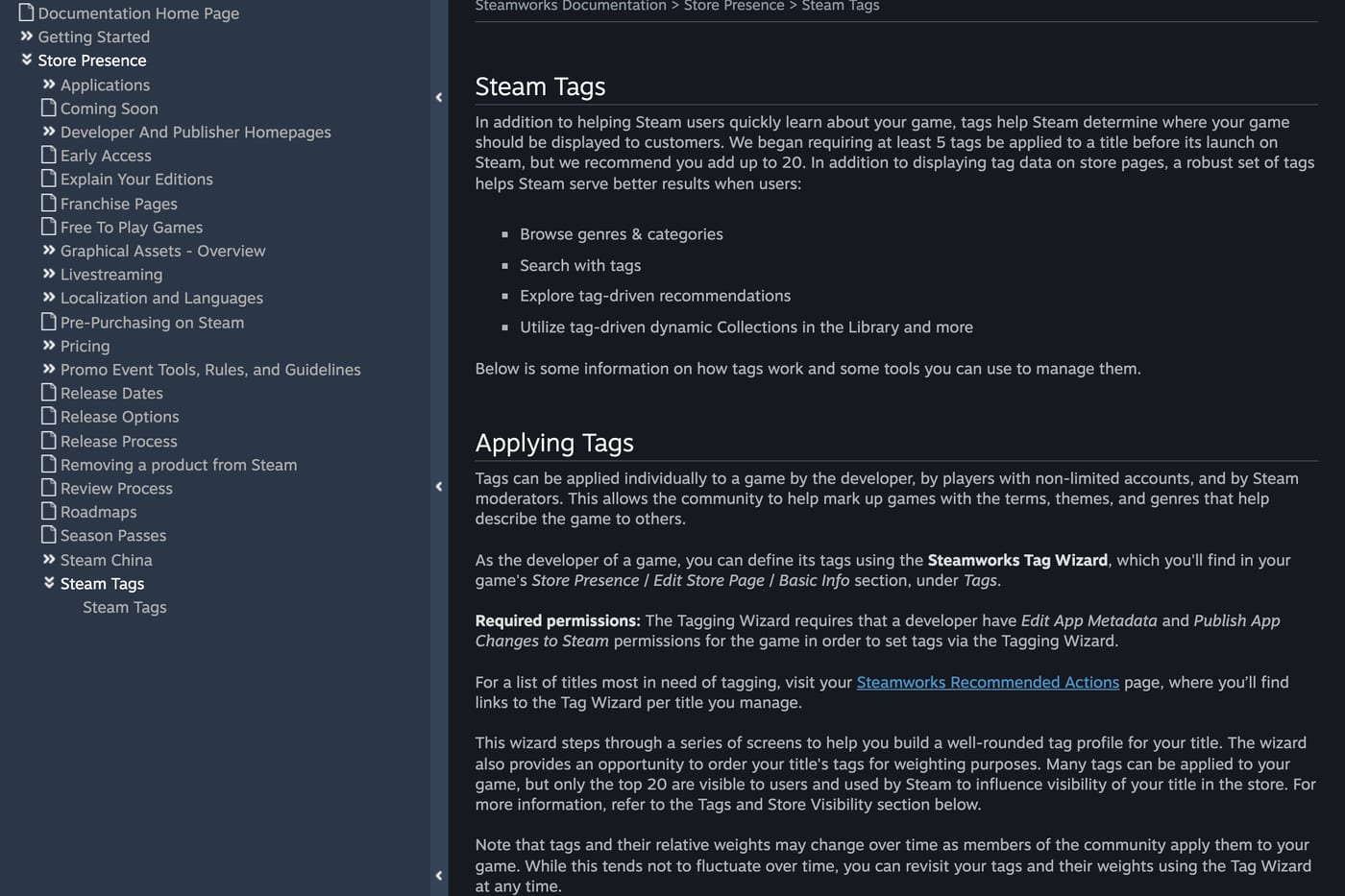
What works: look at the top 20 tags of three successful games closest to yours and match the specific ones that apply. Tags decide which players Steam shows your game to, so a wrong tag sends you the wrong traffic.
6. Languages
Steam lists about 31 languages with full platform support and about 72 more as game support only. English is required as the fallback for store content (languages). Valve says Steam is "more likely to show your game to players that speak a language supported by your game" (visibility docs). Which languages are worth it is covered in game localization: which languages pay off on Steam.
7. Content survey and Steam Deck
- Mature content survey: required before review, must be honest even about content that is hard to reach in the game, and is checked against the build. It produces the regional ratings shown on your page (content survey).
- Steam Deck compatibility: Valve tests the game and shows Verified, Playable, Unsupported or Unknown. Key criteria include text no smaller than 9 pixels at 1280×800, full controller access to all content, and 30 fps at 800p (Deck compatibility).
8. Review and Coming Soon timing
- Store page review: typically 3 to 5 business days. Submit at least 7 business days before you want the page live.
- Coming Soon: the page must be live for at least two weeks before release (coming soon docs).
- The game's name can't be changed after pre-release review (store page docs). So pick it with care: see how to name your game.
- Only show features that exist at launch. Reviewers check the page against the build (review process).
Get the Coming Soon page up as early as you can. Valve notes that players who wishlist early are as likely to buy as those who wishlist late, and every month the page is live is a month of wishlists.
9. Social proof, once you have it
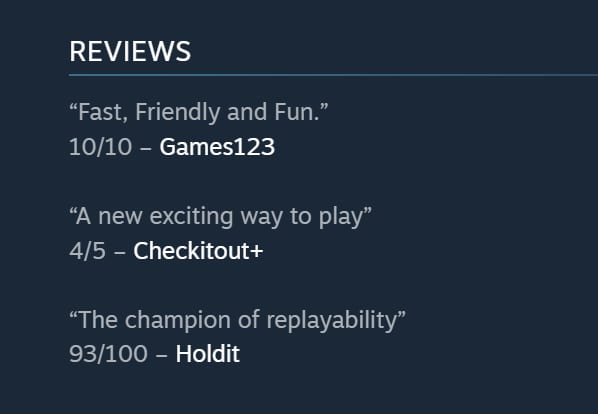
Steam has two spots for it: a Reviews block for press quotes (outlet, link, optional score, one or two short sentences) and an Awards block, where Valve says one to five awards is usually enough (accolades docs). Both are set in the Description tab. This is where quotes and laurels go, not on the capsule.
The five second test
Before you send any traffic, show the page to someone who has never seen your game for five seconds. Then ask what the game is and what you do in it. If they can't answer, fix the capsule, the first trailer seconds and the short description before anything else. Then track what the page does with daily wishlists in Steamworks, as described in how to see how many wishlists a game has on Steam.
Checklist
- Four capsules at current sizes, logo readable at thumbnail size, no extra text.
- At least five gameplay screenshots at 1920×1080, four marked suitable for all ages.
- First trailer opens on gameplay within the first seconds and works muted.
- Short description: genre, what the player does, what's different.
- About section: short clips of the core loop, under 15MB, no links.
- 15 to 20 accurate, specific tags, top 5 describing the game clearly.
- Supported languages ticked to match the game.
- Content survey filled in honestly.
- Page submitted 7 business days early and live as Coming Soon at least two weeks before release.
- Press quotes and awards in the accolades sections once you have them.
For the rest of the plan, see how to get wishlists on Steam before launch and how to market a game.
FAQ
How many screenshots does a Steam page need? At least five, at a minimum of 1920×1080 in 16:9, showing gameplay only.
What is the Steam short description limit? Valve says it's limited to a few hundred characters of plain text, without giving an exact number.
What size can GIFs be on a Steam page? Images in the About section must be under 5MB each, the section should stay under 15MB in total, and animations can run up to 12 seconds.
How many tags can a Steam game have? You need at least 5 before launch and can add up to 20. Only the top 20 count for recommendations.
How long does Steam store page review take? Typically 3 to 5 business days. Valve asks you to submit at least 7 business days before you want the page live.
How long must a Coming Soon page be live? At least two weeks before release.
Sources: Steamworks documentation on store pages, descriptions, extra assets, graphical assets, asset rules, trailers, tags, languages, content survey, Steam Deck compatibility, review process, coming soon and accolades, read November 2026.
Get a wishlist forecast for your game
Send us your Steam page. We estimate views, creators and cost per wishlist before you spend anything.
Keep reading
How Many Copies Do Indie Games Sell? Real Steam Numbers by Tier
Most Steam indie games sell under 1,000 copies. Real numbers by tier…
Game Marketing Hook: How to Find, Test and Show Yours
What a game marketing hook is, how to test one cheaply with…
How to Name Your Game: Searchable, Memorable and Legally Safe
How to name your game: pass the Steam, Google and trademark checks…