Steam Developer Homepage: Setup, Followers and Launch Emails
How to set up a Steam developer or publisher homepage, what followers get (launch emails), franchise pages, and real follower counts from studios.
Short answer: A Steam developer homepage (Valve calls it a Creator Homepage) is a free store page for your studio that lists every game you have linked to it and lets players follow the studio itself. You build it on a Steam Community group, link your games from the developer and publisher fields in the store page editor, and customize it with featured titles, lists and social links (Steamworks docs). The payoff comes on your next release: Valve says "Steam will send an email notification to followers of your homepage whenever you release your next game" (Steamworks announcement, May 2025). Followers also see your recent releases mixed into their front page and tag hub capsules. Set it up while you are still on game one, because those followers carry over to game two.
What a Steam developer homepage is
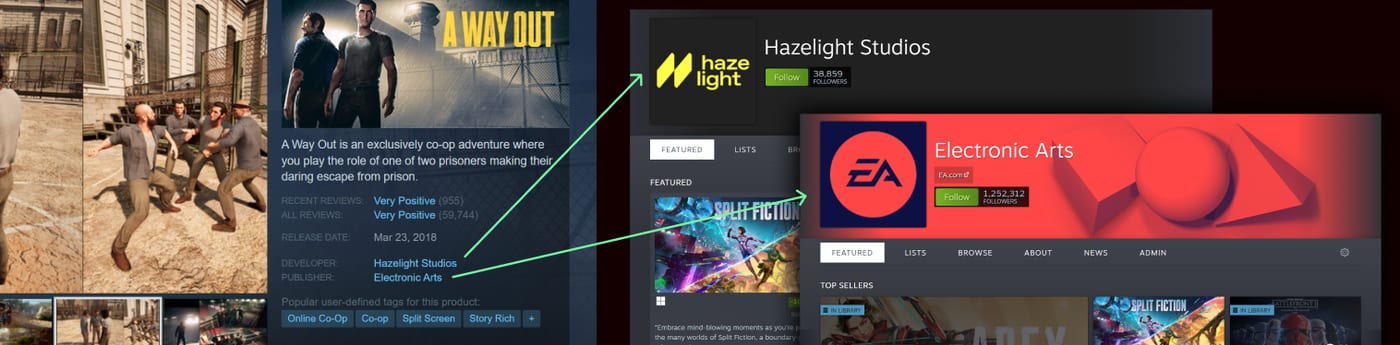
Every game on Steam lists a developer and a publisher. By default, clicking those names opens a bare list of games. Once you set up a Creator Homepage, the same link opens a branded page with a big Follow button, your logo, a background, featured games and a follower count that anyone can see.
There are three flavors, and they all run on the same system:
| Page type | URL pattern | What it groups | Who it suits |
|---|---|---|---|
| Developer homepage | store.steampowered.com/developer/yourstudio | Games where your name is in the developer field | Every studio, including those signed to a publisher |
| Publisher homepage | store.steampowered.com/publisher/yourlabel | Games where your name is in the publisher field | Self-publishers and publishing labels |
| Franchise page | store.steampowered.com/franchise/yourip | Games that share one creative universe or IP | Studios with a sequel, spin-off or series |
Valve's docs list four URL variants for the same page: /developer/, /dev/, /publisher/ and /pub/ (Steamworks docs). Your custom URL counts as a "Company Mark" under the Steam Distribution Agreement, so pick your own studio name and nothing that could be confused with someone else's.
What followers actually get
This is the part most guides get vague about, so here is Valve's own list from the "What customers see?" section of the Creator Homepage documentation. When a player follows your homepage:
- They "will receive an email when your game launches or enters early access or exits early access."
- When they browse the Steam front page or a genre or tag hub, Steam will "mix in your recently released games into their main capsules" and tell them why.
- The front page "may have a section that highlights Developers, Publishers or Franchises" that interest that player.
- Your product page tells them they follow your page, as a reason the game is relevant to them.
Valve's 2022 hub update backs up point 2: each tag and genre hub is personalized using "followed developers" and has a "New For You" area that surfaces "new games from followed devs" (Steam announcement, September 2022). The June 2026 home page refresh still lists "following game developers" as one of the ways players customize what they see (Steam announcement).
What followers do not get matters just as much. Chris Zukowski sums it up: studio and publisher followers get one notification when a new game launches, or two for an Early Access game (one at Early Access, one at 1.0), and nothing for discounts (How To Market A Game). In the same 2023 post he noted that demo launches and DLC releases notified neither wishlisters nor followers. Valve has since added a one-time demo email to wishlisters, which you trigger yourself from the demo's landing page within two weeks of the demo's release (Steamworks wishlist docs). For homepage followers and for DLC, plan to announce those yourself.
Homepage followers vs game followers vs wishlists
These three get confused all the time, and they behave differently.
| Signal | Where the player clicks | Launch email | Discount email | Carries over to your next game |
|---|---|---|---|---|
| Wishlist | Game store page | Yes | Yes, for qualifying discounts (Steamworks wishlist docs) | No |
| Game follower | Game store page or community hub | No, news in feed only (Steamworks followers docs) | No | No |
| Homepage follower | Developer, publisher or franchise page | Yes, at launch and Early Access entry and exit | No | Yes |
Zukowski's ranking of what to ask players for is: wishlist your game first, follow your studio second, follow your game third (How To Market A Game). A wishlist sells the game in front of you. A studio follow sells the next one. If you are still building wishlists for game one, start with how to get more Steam wishlists.
How to set up your Steam developer homepage
Valve's process from the Creator Homepage docs and the May 2025 update, in order:
- Check your permissions. Your Steam account must be in the Steamworks partner account with "Edit App Marketing Data" permission, and it cannot be a limited account, because limited accounts cannot create or join community groups.
- Create a Steam Community group with your studio name. The group name becomes the name at the top of your homepage, so spell it exactly as your studio. Upload your logo as the group avatar. The group's own URL is not used for the homepage. If you already ran a Steam Curator group, you can upgrade it into your homepage and keep the reviews you posted.
- Link your games. Since May 2025 you can do this right in the store page editor: open Edit Store Page, go to Basic Info, and click "link" next to the developer and publisher names. Your account must be an officer of the group for it to appear in the list. For a back catalog, the Creator Homepage Setup tool links many apps at once, and an "unlinked" section lists games you missed.
- Publish pending store page changes. The link goes live with your next publish.
- Customize the page. Add a background, featured titles, trailers, text blocks and lists (details below).
- Set a custom URL. In Steamworks, open the Apps & Packages menu and choose "Creator Homepage Custom URL Setup".
- Add your social links. Since May 2025 the homepage header can show your social accounts, set from the homepage admin area.
- Link every new app before its page goes live. That covers games, demos, soundtracks and DLC. Once a new store page is set live as Coming Soon, it appears on the linked homepages automatically, and at release it shows as a new release and followers get the email.
If you work with a publisher, set up your own developer homepage anyway. Valve says it directly: even small studios with a publisher should "set up your own homepage with your own studio branding so that fans can follow you" (Steamworks announcement). The publisher's followers belong to the publisher. Yours follow you to your next deal. It is worth adding to your contract checklist; our guide on publisher vs self-publishing covers what else to keep.
Customizing the page: featured games, lists and sections
Since a March 2026 update, homepages use the same editor as Steam sale pages. Per the customization docs, you get:
- A default set of sections that automatically show all linked games, DLC, demos and soundtracks.
- A trailer-heavy "Popular Titles" section at the top that picks your most popular games for you.
- A "Current Specials" section that automatically shows any of your games on discount.
- A "News & Announcements" section that can show chosen events, limited to recent weeks if you like.
- Text and image blocks to introduce the team, plus embedded YouTube videos and custom background art per section.
To make a new design live, you publish it from the editor and then set it active from the admin dashboard.
Curator style lists
Lists work like curator lists, but only for your own games. Valve suggests them for "all the titles in a franchise" or for "titles you are running a promotion on" (Steamworks docs). You create one from the admin panel with a name, description, format and the titles to include. A list of "Games with a free demo" or "Our co-op games" is more useful to a visitor than a wall of capsules.
Franchise pages
A franchise page pulls from the franchise field instead of the developer field. Valve is strict about what counts: "Left 4 Dead" is a franchise, "Valve Games" is not (Steamworks docs). You set the franchise only on the base game, and its DLC inherits it. Once linked, a franchise shows as a button above the purchase options, a "More From Franchise" section below the system requirements and a breadcrumb on the store page (Franchise Pages docs).
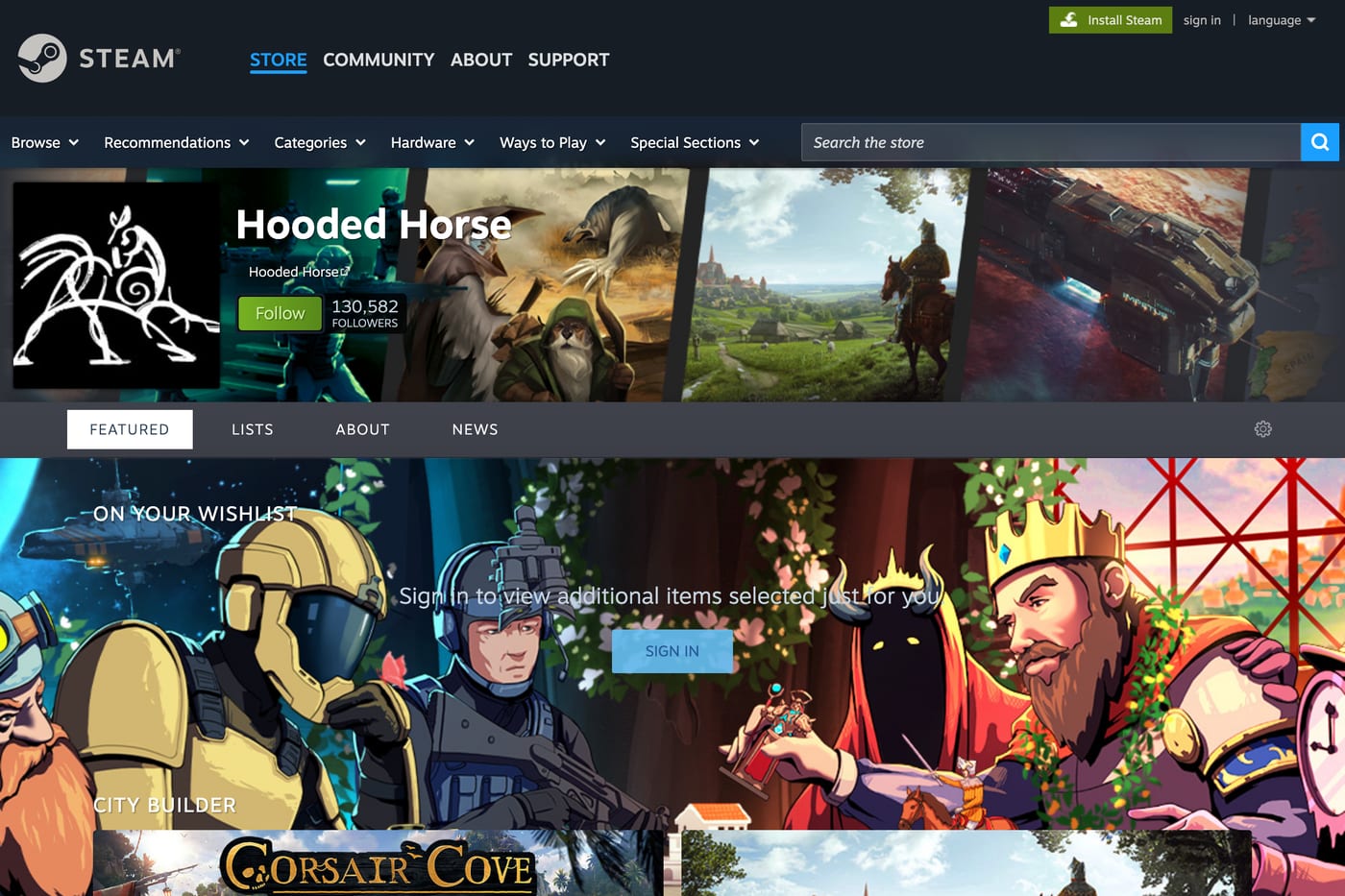
Example: GameDiscoverCo looked at the Steam page for Xenonauts 2 in 2024 and found three cross-promotion hooks for publisher Hooded Horse: a "check out the whole Hooded Horse franchise" link near the top, a Hooded Horse Publisher bundle under the buy button and a "more from Hooded Horse" link (GameDiscoverCo). Hooded Horse's page had 130,581 followers when we checked in November 2026 (Steam).
Annual publisher, developer and franchise sales
A homepage also lets you run one custom sale page per year. Valve's creator sale page docs name the Klei Fest Publisher Sale, the Kalypso Anniversary Sale and the Hooded Horse Publisher Sale as examples. The rules that matter: submit a ticket at least three weeks before the sale, ask three months ahead if you want home page featuring, keep most of your catalog discounted, and have at least three paid titles to be considered for a Daily, Midweek or Weekend Deal slot. The homepage must be correctly linked first, because the group behind it owns the sale event. Since July 9, 2026, Valve no longer allows extra ad hoc publisher or developer sale pages, such as a seasonal sale page for your catalog. For those, you stage a sale version of your homepage instead.
Real examples: follower counts and second games
Follower counts on homepages are public, so you can benchmark any studio by opening its page. The table pairs counts reported in earlier analyses with what the same pages showed on November 17, 2026.
| Studio or label | Earlier count (source) | November 2026 | What happened in between |
|---|---|---|---|
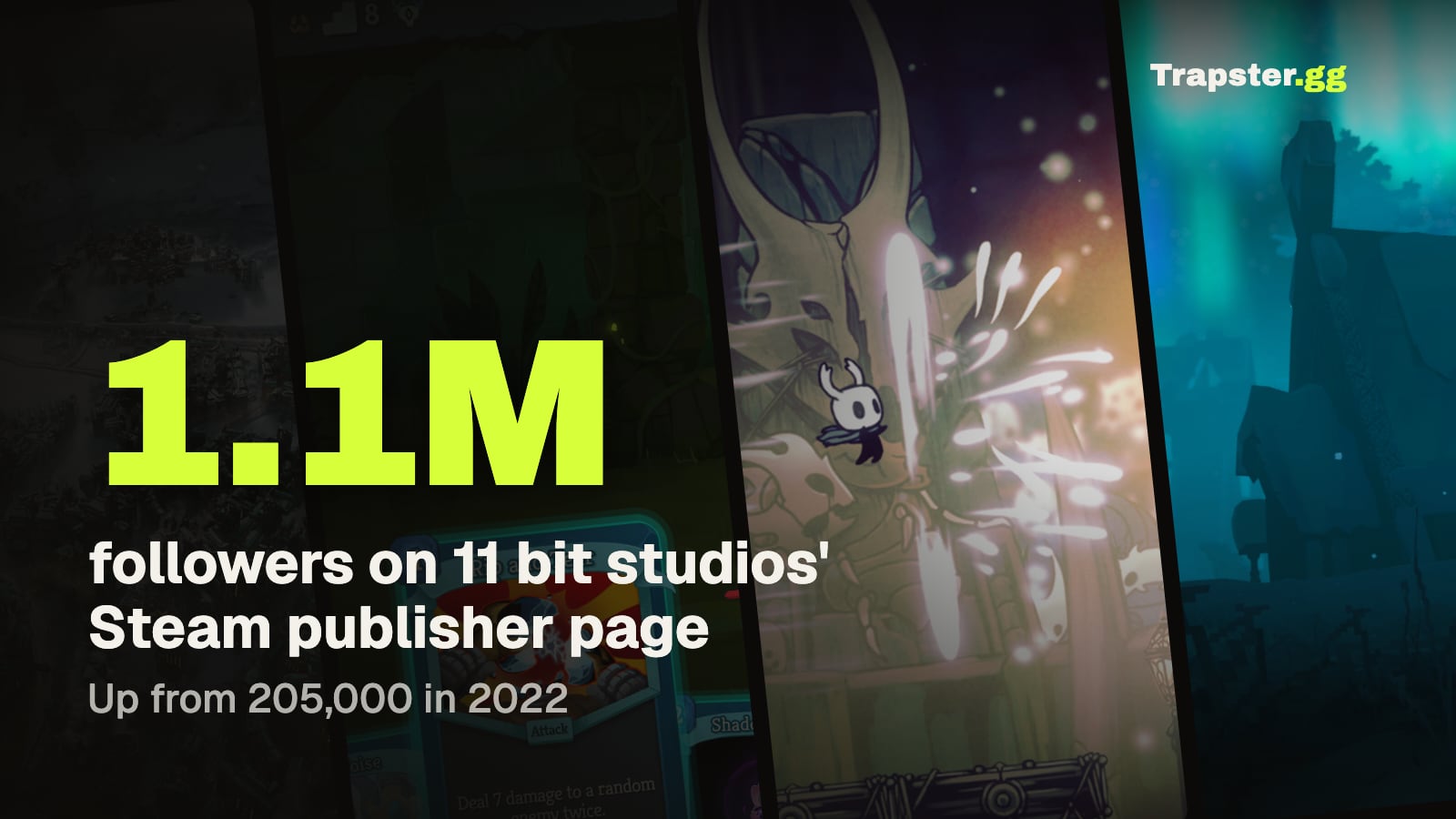
| 11 bit studios | 205,000 in September 2022 (GameDiscoverCo) | 1,096,327 | Frostpunk 2 launched in September 2024 |
| Devolver Digital | 293,367 in May 2023 (How To Market A Game) | 469,299 | Steady stream of new releases |
| Team17 | 138,883 in May 2023 (same source) | 254,278 | Same |
| Raw Fury | 34,311 in May 2023 (same source) | 82,072 | Same |
| Kagura Games | In the top 20 most followed in 2022 (GameDiscoverCo) | 521,449 | An adult RPG and visual novel label, which GameDiscoverCo called "a little surprising" in the top 20 |
For scale, GameDiscoverCo's 2022 scrape of 7,749 publisher and franchise pages, shared by 11 bit studios, found that only the top 40 pages had 100,000 or more followers, the top 85 had 50,000 or more, and the top 300 had 10,000 or more (GameDiscoverCo). A few thousand followers already puts a small studio ahead of most pages on Steam.
11 bit studios and Frostpunk 2
11 bit studios went into Frostpunk 2 with a publisher page that GameDiscoverCo counted at 205,000 followers two years before launch. Under Valve's rules, followers of a linked homepage get the launch email. Frostpunk 2 sold more than 350,000 copies within three days of its September 20, 2024 launch, per 11 bit studios, against 250,000 in three days for the original Frostpunk in 2018, as reported by Game Developer. The homepage was one of many launch levers, so read this as a strong base to launch from, not as a cause you can isolate.
Mega Crit and Slay the Spire 2
Mega Crit's sequel shows that a game can still do huge numbers with a modest studio page. Slay the Spire 2 passed 1 million wishlists by December 2024 (Mega Crit on Steam) and sold 3,000,000 units in its first week of Early Access in March 2026 (Mega Crit on Steam). The Mega Crit developer page showed 29,472 followers in November 2026, a small number next to those sales. The lesson for smaller teams: the sequel's store page and wishlists did the heavy lifting, and studio follows were a bonus.
Team Cherry, Supergiant and Klei
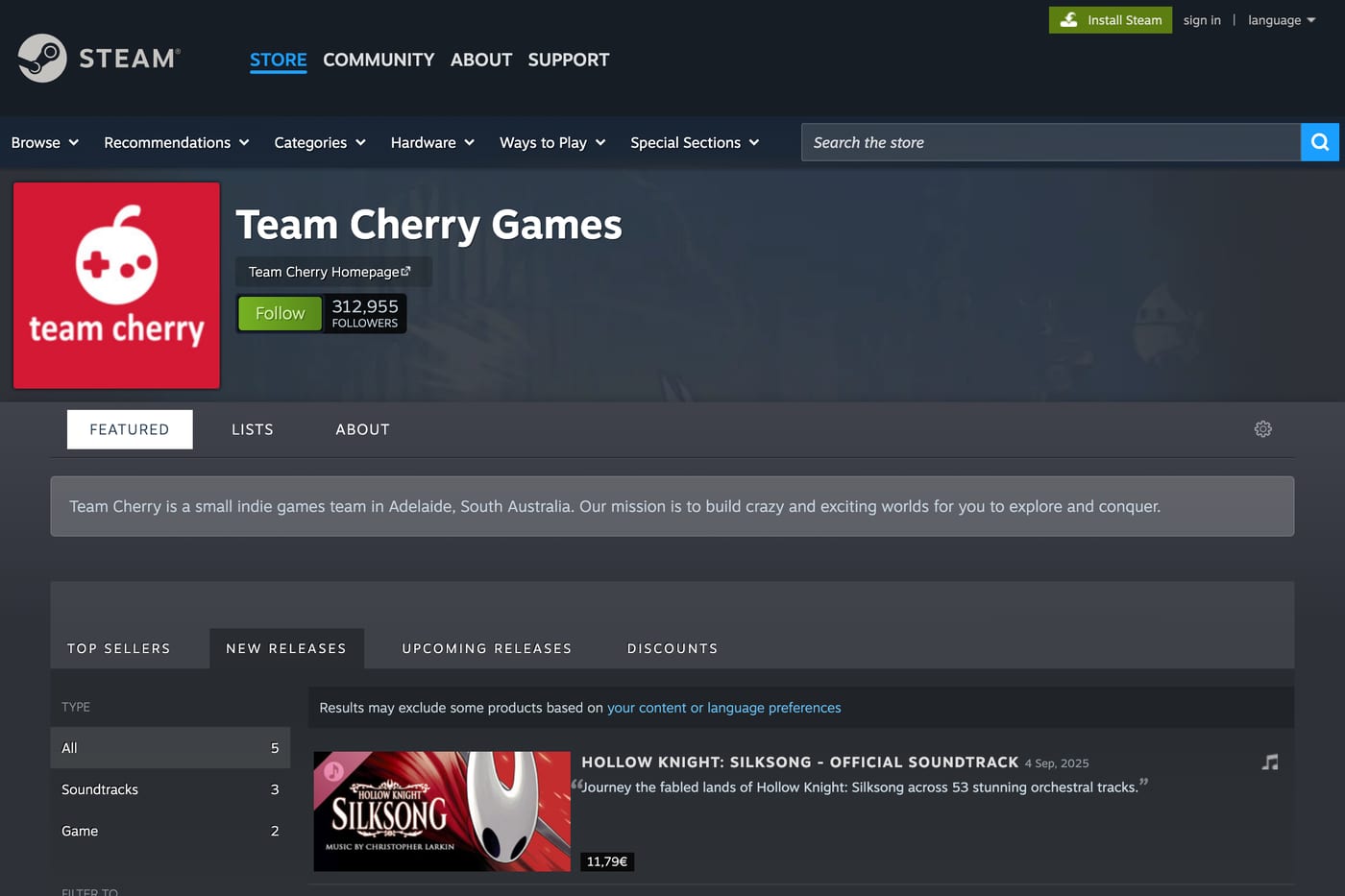
Well known studios build large pages. Team Cherry had 312,955 followers when we checked, with Hollow Knight: Silksong (released September 4, 2025) now listed next to Hollow Knight. Supergiant Games had 165,547 followers after Hades II's 1.0 release on September 25, 2025. Klei had 341,320 and runs the yearly Klei Fest publisher sale that Valve uses as an example. For all three, the next announcement lands in front of a few hundred thousand people who asked for it.
poncle: a giant hit, a small page
poncle's developer page showed 4,575 followers in November 2026, even though Vampire Survivors is one of the biggest indie hits on Steam. That count came seven months after poncle released its next game, Vampire Crawlers (co-developed with Nosebleed Interactive), on April 21, 2026. It is small next to the audience Vampire Survivors built. If you have a hit, put the follow ask in your game's menus and patch notes while attention is high.
A small multi-game studio
Follow the Fun is a tiny studio that releases many small games, including a series of "I commissioned some..." titles. Its homepage had 4,135 followers in November 2026. That is a realistic target for an indie with a catalog, and every new title it links gets a launch email to all of them.
The honest caveat
Followers usually arrive after success, not before it. Zukowski points out that Valheim's Twitter account had about 1,700 followers on launch day and later reached 169,000, writing that "They have 169,000 BECAUSE the game was a hit" (How To Market A Game). The same is true of Steam homepage followers. Your homepage will not make game one a hit. It is how you keep the audience game one earns.
How to grow your homepage followers
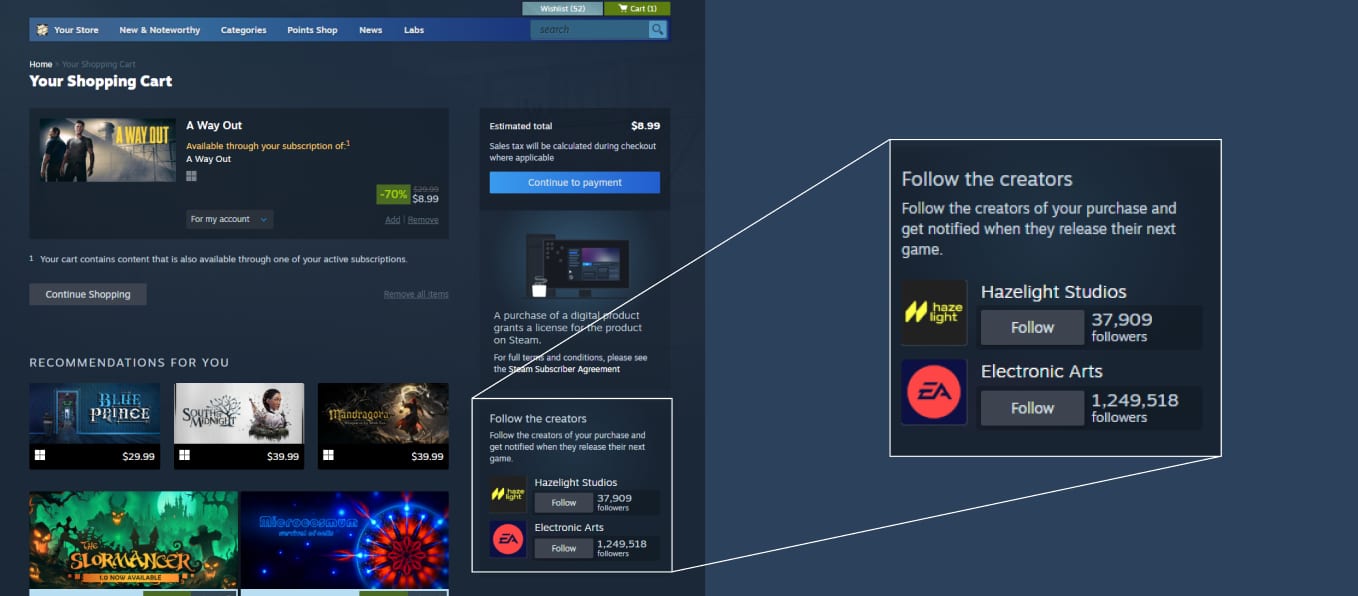
Valve now does some of this for you. Since May 2025, when a player adds a single game to the cart, the cart shows developer and publisher widgets with a follow button (Steamworks announcement). That only works if your homepage is linked to the game.
The rest is on you:
- Link the homepage before your first store page goes live. Every visitor who clicks your developer name before then sees a bare list with no Follow button.
- Ask in the right order. On your store page and in Steam events and announcements, ask for the wishlist first. Ask for a studio follow in post-launch updates, when players already own the game.
- Put the homepage URL in the game. A "Follow us on Steam" button on the main menu or credits screen of a released game reaches people at their happiest.
- Use the News & Announcements section. Pin your devlog or roadmap posts so the page is never stale. Our Steam store page checklist covers the game page side.
- Link the soundtrack, demo and DLC too. Each linked app is another doorway to the Follow button.
If you are pairing a new announcement with outside reach, creator videos are a good way to fill the game's store page with wishlisters, and a share of those buyers will follow the studio after launch. See how creator views turn into Steam wishlists.
Common mistakes
- Setting it up after launch. You lose every cart widget follow from your launch week, which is when the most players see it.
- Linking only to the publisher's page. Studios signed to a publisher often end up with no developer page, so the studio audience never forms. Valve explicitly recommends your own.
- Misusing the franchise field. Your studio name is not a franchise. Valve reserves it for games sharing a universe or IP.
- Forgetting new apps. A demo or a new game that is not linked does not appear on the page and does not trigger the follower email. Link at store page creation, not release day.
FAQ
How do I create a developer page on Steam?
Create a Steam Community group with your studio name, then link your games to it from Edit Store Page, Basic Info, using the "link" button next to the developer and publisher names. You need "Edit App Marketing Data" permission and an account that is not limited.
Do Steam developer homepage followers get an email when I release a new game?
Yes. Valve says followers receive an email when your game launches, enters Early Access or exits Early Access. They do not get discount emails, and Chris Zukowski notes that demo and DLC releases do not notify them either.
What is the difference between following a game and following a developer on Steam?
Following a game puts its news in the player's activity feed and News Hub, with no launch email. Following a developer or publisher homepage sends a launch email for every new game you link to that page.
Can I have a developer homepage if a publisher releases my game?
Yes. A game can link several developer and publisher names, each to its own homepage, and Valve recommends small studios set up their own so fans can follow the studio.
How many followers does a good Steam publisher page have?
In GameDiscoverCo's 2022 data, only about 300 publisher and franchise pages had 10,000 or more followers, and only 40 had 100,000 or more. For most indies, a few thousand followers is a solid page.
Can I change my Steam developer homepage URL?
You set it under Creator Homepage Custom URL Setup in Steamworks. The name must be original and cannot use another company's name or trademark.
Does a developer homepage help Steam visibility?
Valve says followers see your recently released games mixed into their front page and tag hub capsules, and your product page tells them they follow you. That applies to followers only, so the size of the effect depends on how many you have.
Sources: Steamworks: Developer and Publisher Homepages; Steamworks: Updates to Developer/Publisher Homepages; Steamworks: New tools for homepages; Steamworks: Creator Homepage tools; Steamworks: Franchise Pages; Steamworks: Developer, Publisher and Franchise Sale Pages; Steamworks: Followers; Steam: tag and genre hubs announcement; GameDiscoverCo: Publishers and their hidden Steam advantage; GameDiscoverCo: Why specialist publishers win; How To Market A Game: wishlists vs followers; Game Developer: Frostpunk 2 sales; checked November 2026.
Get a wishlist forecast for your game
Send us your Steam page. We estimate views, creators and cost per wishlist before you spend anything.
Keep reading
How Many Copies Do Indie Games Sell? Real Steam Numbers by Tier
Most Steam indie games sell under 1,000 copies. Real numbers by tier…
Game Marketing Hook: How to Find, Test and Show Yours
What a game marketing hook is, how to test one cheaply with…
How to Name Your Game: Searchable, Memorable and Legally Safe
How to name your game: pass the Steam, Google and trademark checks…