Steam Events and Announcements: Where Posts Show and What to Post
How Steamworks events work: event types, where each one shows, cover sizes, stats, why announcements don't email wishlisters, and what to post around launch.
Short answer: A Steam announcement is a post you create in the Steamworks Events and Announcements tool, and the category you pick decides where it shows: your store page, your community hub, the Steam Library, the News Hub and your followers' activity feeds. Your store page shows a maximum of two events at a time, and patch notes, sale events and cross promotions are deliberately kept out of some places. Every event needs an 800 x 450 px cover image, and a 1920 x 622 px header is suggested. Announcements do not send emails to wishlisters: Steam emails them only for your release, discounts and a demo launch, per the wishlist docs. Valve's own advice on frequency is blunt: "If you don't have a reason to post an announcement, don't post one."
What the Events and Announcements tool is
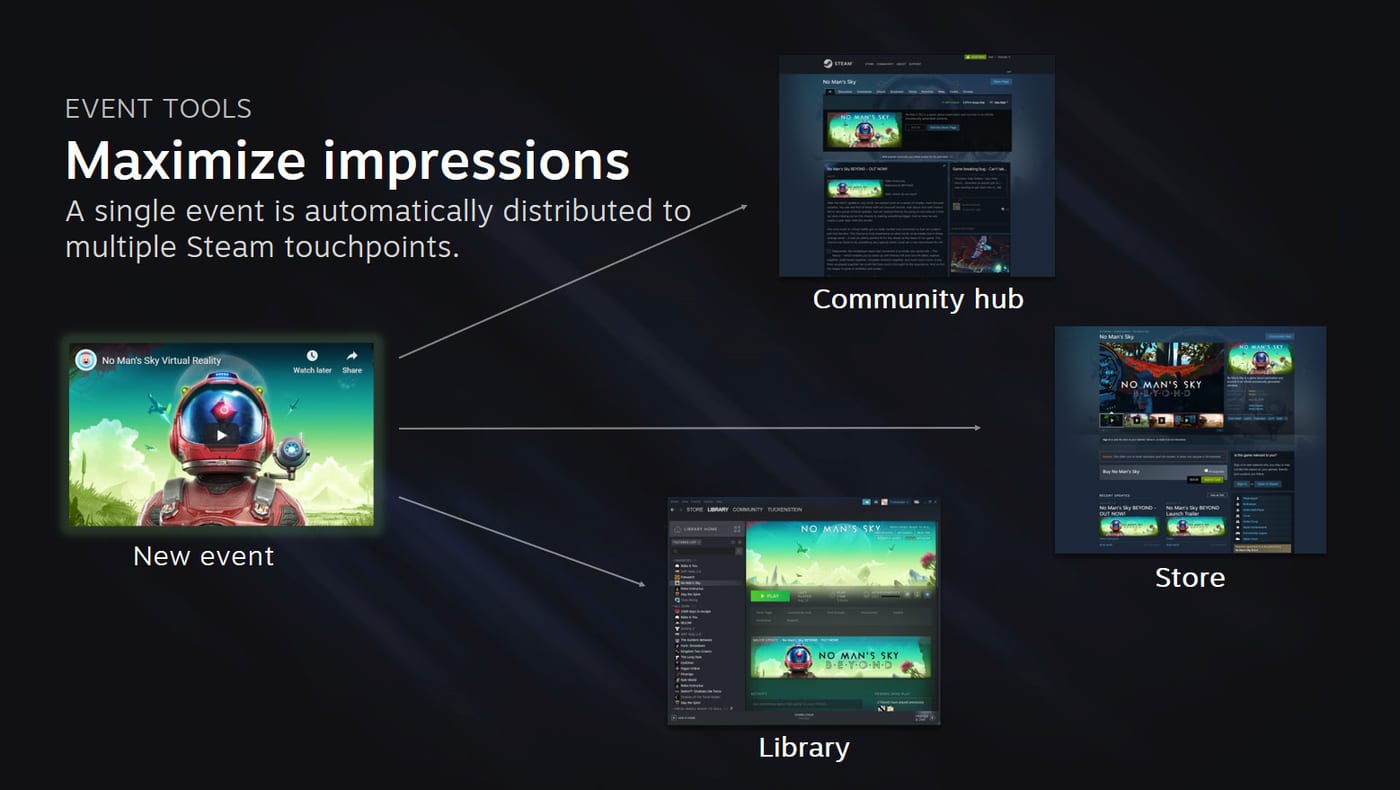
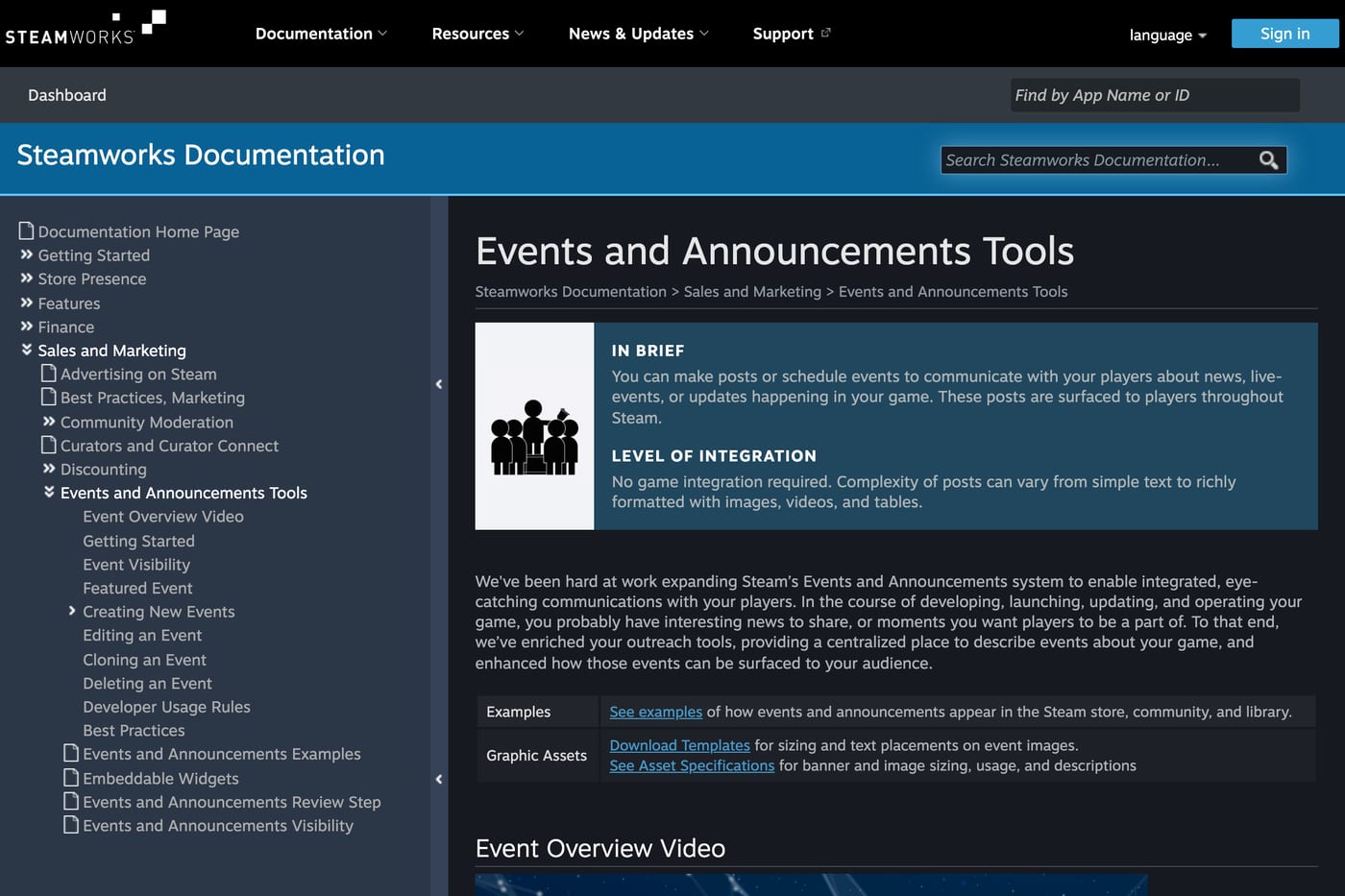
Steamworks gives every app one publishing tool for news, from a two-line patch note to the biggest update of your year. You write the post once and Steam pushes it to the relevant places based on the category you choose.
The posting account needs partner access to the app through your publisher group (hub admins and officers can post by default), and it cannot be a "limited" Steam account. Its name and avatar appear publicly as the author (setup notes).
To create a post, open your app's landing page in Steamworks and go to "Post/Manage Events & Announcements." Pick a category and sub-category first; hovering over each sub-category previews where it will appear.
Event types and where each one shows
Valve splits game updates into three levels: Patch Notes, Regular Updates and Major Updates. Other categories cover things like livestreams, in-game events, sales and cross promotion. Some categories have an end date, and Steam stops showing the event once that date passes.
| Category | Where it appears | Where it does not |
|---|---|---|
| Small Update / Patch Notes | Downloads window, News Hub (compact), library detail page (compact), linked from the store page | Library "What's New" row, store page event slots |
| Major Update | Store page, community hub, library detail page, Library "What's New" row, News Hub, followers' feeds, Downloads view if linked to a build | No exclusions. Can also back an Update Visibility Round |
| Sale / Discount | Store page, community hub | Owners' Library (they already own the game) |
| Cross Promotion | Community hub, followers' activity feeds | Library homepage, store page |
| Timed events (livestream, in-game event) | Normal surfaces, with an end date that archives the post | Hidden from the homepage after the end time |
Sources for the table: Patch Notes, Major Update and visibility exceptions.
Pick the category that matches what the post is mainly about. Valve lists miscategorizing as a misuse of the tool. Any post mostly about another product, including a version of your game sold on another store, has to be marked Cross Promotion (usage rules).
Every surface where players see your posts
| Surface | Who sees it | Rule worth knowing |
|---|---|---|
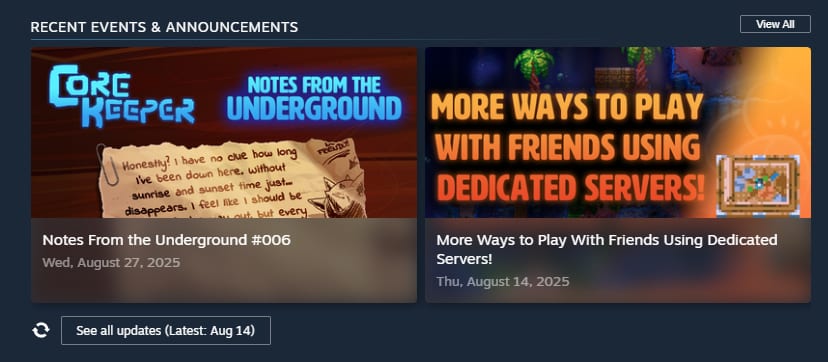
| Store page | Anyone visiting the page | Shows a maximum of two events at a time; excludes patch notes and cross promotions |
| Community hub | Hub visitors | Most recent event is pinned at the top; all posts are also on the News tab |
| Library "What's New" | Players who own and play your game | Personalized by recent playtime and player settings |
| Library game page | Owners | Chronological list, plus an optional Featured Event at the top |
| Activity feed and News Hub | Followers (and owners, for the News Hub) | Following is a separate action from wishlisting |
| Downloads view | Players updating the game | Only if you link the post to a build |
| RSS feed | Anyone | steamcommunity.com/games/<appid>/rss |
Sources: stats doc, main tool doc, followers doc.
Before launch nobody owns your game, so the Library surfaces do little for you. Your pre-launch readers are store page visitors and followers. You can see your follower count as "members" at steamcommunity.com/games/<appid>/membersManage while logged in with your developer account.
Notifications and email: what an announcement does not do
This is the most common misunderstanding. A new announcement does not trigger an email to your wishlisters. Valve's wishlist documentation lists the email and push triggers:
- Release: when the game launches, in Early Access or full release, everyone with it wishlisted gets an email and/or mobile push.
- Discount: when the discount is at least 20%, covers at least your lowest priced package and runs longer than 8 hours.
- Demo: a one-time notification you trigger yourself, within two weeks of your free demo going live.
All emails about one app share a cooldown, which Valve describes as 2 weeks in one place and 1 to 2 weeks in its FAQ, extended during big sales. Valve's updates guide suggests pairing a major update with a discount, and a qualifying discount does trigger the wishlist email.
Update Visibility Rounds are one way an announcement can reach wishlisters through Steam itself. Valve says they appear to customers who have your game in their library or on their wishlist. They need a community announcement posted in the last 30 days. Our Update Visibility Rounds guide covers how rounds work and when to spend them.
Visibility rules and limits to plan around
Moderation delay. Every new or edited post goes through a quick Valve review before it shows in the Steam Library. It typically takes an hour, and many posts clear in 30 minutes. Editing a post sends it back into the queue, so if timing matters, publish early and avoid last-minute edits.
Start dates. You cannot publish an event with a start time in the past. You also cannot move a start time that has already passed. Steam treats the first time the post became visible as its post time (source). End dates can be changed at any time.
Staging. You can publish an event now and set it to appear only when it starts, or on a date you choose. This is how you queue a launch-day post in advance.
Library homepage clutter. Valve recommends that ideally only one or two of your events are visible on the Library homepage at once. When you publish, Steam offers to hide older ones. Hidden posts are not deleted. They stay on your library page in chronological order (source).
Featured Event. On the library game page you can flag an event as Featured. Once a player has seen it, it stays on top for 48 hours, then drops into the normal list (source).
Cover art and image sizes
| Asset | Size | Required? | Notes |
|---|---|---|---|
| Cover image | 800 x 450 px | Required | Shown on the store page, event lists, library, activity feed. Steam adds your game name and icon next to it |
| Header image | 1920 x 622 px | Suggested | Top of the event page. Use Valve's template for the safe area |
| Images in the body | Up to 800 px wide | Optional | JPG, PNG or animated GIF |
Sources: event asset specs, main tool doc.
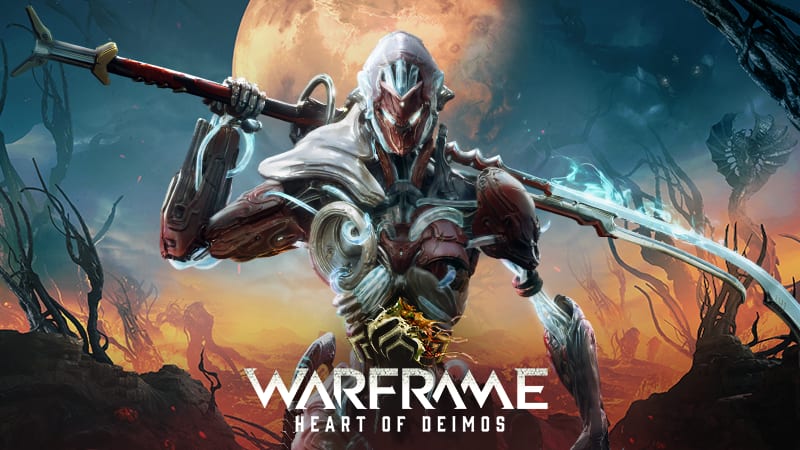
Build the cover around the news, not your logo. Steam already shows your game's name and icon beside it, and the cover often sits in a row next to other games' posts, so it should represent this specific announcement (examples page). The capsule art principles apply here too.
Events support full localization of text and images. A language you do not provide falls back to English. You can bulk import translations by CSV, saved as CSV UTF-8 if you use symbols like ™ (source).
How often to post
Valve gives no target number. Its guidance is about restraint: posting just to fill space "risks player fatigue" (best practices). For its own games, Valve says it found it best to ship major updates "every 1-2 months at most," leaving time to tease them first (updates guide).
A workable rhythm for a small studio:
- Patch notes: with every build that players will notice. SteamPipe now prompts you to write one when you push a build. Patch notes stay out of the high-visibility slots, so they cost you nothing.
- Regular updates or dev posts: when you have something real to show, such as new art, a trailer or a feature. Before launch that might be every few weeks, around your real milestones.
- Major Updates: only for content that changes why someone would buy or return, paired with an Update Visibility Round if you have rounds left.
Because the store page shows only two events, your two most recent eligible posts are effectively part of your store page. A string of small posts can push a strong one out of view.
What to post before and after launch
Before launch
- Page reveal post. Explain the game, link the trailer, and ask readers to wishlist and follow. This is the first thing store page visitors see under "recent events."
- Milestone posts. Playtests, demo release, festival participation such as Next Fest, release date announcement. Each one gives returning visitors something new.
- Timed event for launch. Create a launch event with a start time and stage it ahead of time. Chris Zukowski described in 2021 how timed events show players a reminder button and suggested a launch party event so fans get another nudge. That is his report from a Valve session, so check how the current editor behaves.
- Clean up teasers. Valve recommends hiding the old teaser from the Library homepage each time a new one goes live.
After launch
- Launch announcement with what is in the game and any launch discount. Your wishlist release email goes out regardless.
- Patch notes for every fix build in launch week, linked to the build so they appear in the Downloads view. Players reading reviews look for proof that you are fixing things. See our launch week plan.
- First Major Update once you have meaningful content, with a visibility round. You start with five rounds, shared between Early Access and full release (source).
- Sale events for discounts. They reach prospective buyers on the store page and hub, not your current owners.
Reading the event stats
Each event has a stats panel. Valve's definitions matter when you read it:
- Impressions count when the event banner or image is visible on screen, broken out by location: Library home, Library Featured Event, Library activity feed, store page and community hub.
- Clicks or reads count opens of that specific event. Scrolling to other events inside the pop-up viewer does not count.
- Unique, logged-in users only. Each user is counted once, in the first place they saw it and the first place they clicked. Anonymous visitors are not counted.
- Hourly updates. Numbers refresh every hour.
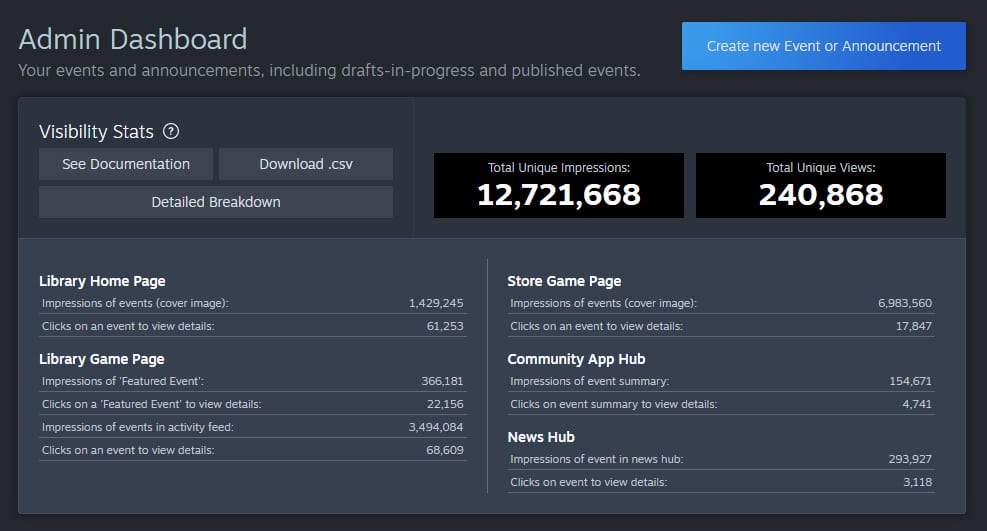
If reads are higher than impressions, people reached the post directly from outside Steam, for example a link shared on social media. Valve gives that exact explanation. It is a useful check when you send outside traffic to a post, such as a creator campaign around an update.
Compare events by click rate per location rather than raw totals: store page impressions follow your page traffic, while Library impressions follow how many owners played recently.
FAQ
Do Steam announcements notify wishlisters by email?
No. Valve's wishlist emails go out only for your release, qualifying discounts and a one-time demo notification. Announcements reach followers' activity feeds and News Hub, and Update Visibility Rounds can show your update to wishlisters on the store homepage.
What size is the Steam event cover image?
800 x 450 px, and it is required. The header image is 1920 x 622 px and suggested. Body images display up to 800 px wide.
How long does it take for a Steam announcement to go live?
It is published right away, but it waits for a Valve review before appearing in the Steam Library. That review typically takes an hour, and many posts clear in 30 minutes. Edits send it back to review.
How many announcements show on my Steam store page?
A maximum of two at a time, and patch notes and cross promotions are excluded from that section.
Can I schedule a Steam announcement?
Yes. You can publish an event with visibility set to its start time or to any future date. You cannot publish with a start time in the past or move a start time that has already passed.
Why are my event reads higher than impressions?
Impressions only count when the event is shown inside Steam. Reads also include people who opened the event page from an outside link, such as social media.
Sources: Steamworks Events and Announcements, Event visibility, Event stats, Event assets, Major Update, Patch Notes, Moderation, Wishlists, Followers, Update Visibility Rounds, Updating your game, How To Market A Game; checked November 2026.
Get a wishlist forecast for your game
Send us your Steam page. We estimate views, creators and cost per wishlist before you spend anything.
Keep reading
How Many Copies Do Indie Games Sell? Real Steam Numbers by Tier
Most Steam indie games sell under 1,000 copies. Real numbers by tier…
Game Marketing Hook: How to Find, Test and Show Yours
What a game marketing hook is, how to test one cheaply with…
How to Name Your Game: Searchable, Memorable and Legally Safe
How to name your game: pass the Steam, Google and trademark checks…