How to Publish a Game on Steam: Steam Direct, Step by Step
Publish a game on Steam step by step: the $100 Steam Direct fee and how you get it back, bank and tax setup, the 21 day wait, reviews and the Release button.
Short answer: To publish a game on Steam you join Steamworks through Steam Direct, sign Valve's agreements, pay a $100 fee per game, and submit your bank, tax and identity details (Steamworks onboarding). The fee is not refunded, but Valve pays it back once the game earns $1,000 in Adjusted Gross Revenue (Steam Direct fee). For your first few games you then wait at least 21 days between paying the fee and releasing, keep a public Coming Soon page live for at least two weeks, and pass two reviews: one for the store page and one for the build (onboarding, review process). When everything is approved, nothing happens automatically: you press the green Release App button yourself (Releasing on Steam). If you're still choosing where to sell, see itch.io vs Steam.
This guide is the mechanical part. For the marketing timeline around it, use the Steam launch checklist. For what Valve takes from each sale, see Steam fees for developers.
The whole process at a glance
| Step | What you do | How long Valve says it takes |
|---|---|---|
| 1. Sign up | Create the Steamworks partner account, sign the NDA and Steam Distribution Agreement | Same day |
| 2. Pay the fee | $100 per game, any Steam payment method except Steam Wallet | Same day |
| 3. Bank, tax, identity | Bank details, tax interview (W-9 or W-8BEN style), legal identity | Tax verification can take up to 30 days |
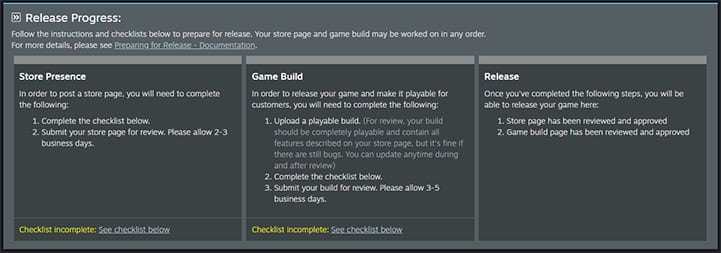
| 4. Store page review | Fill the store checklist, mark it ready for review | 3 to 5 business days, submit 7 business days ahead |
| 5. Coming Soon | Press "Post as Coming Soon" after approval | Must be public at least 2 weeks before release |
| 6. Build review | Upload a near final build, mark it ready for review | 3 to 5 business days normally, up to 12 in November 2026 |
| 7. Release | Press Release App, then Publish Now and Release Now | Instant, at the moment you choose |
Step 1: Sign up for Steam Direct
Steam Direct is Valve's self-serve path onto Steam. You start at partner.steamgames.com, sign in with a Steam account, and work through the onboarding paperwork. You will electronically sign the Non Disclosure Agreement and the Steam Distribution Agreement (onboarding).
The name you sign with matters. Valve says the Company Legal Name must be the legal entity that owns or has the right to publish the game, and it must match your bank records and your US IRS or foreign tax documents. No "doing business as" names, no studio nicknames. If you own the game as a person, you choose "Sole Proprietorship" and enter your own legal first and last name as the company name (onboarding).
Step 2: Pay the $100 Steam Direct fee
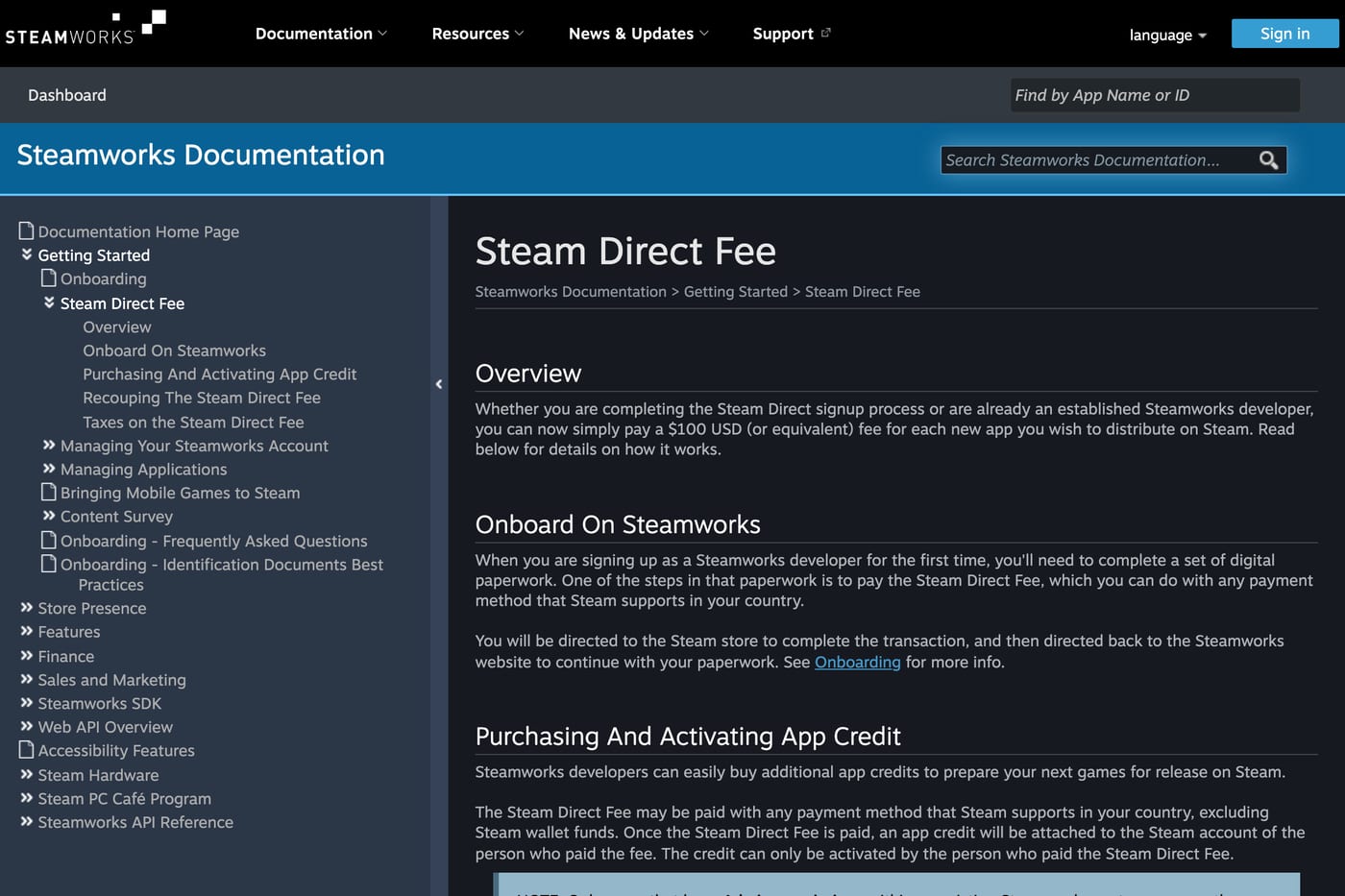
The fee is $100 USD, or the local equivalent, for each game you want to ship (Steam Direct fee). A few details from Valve's page:
- You can pay with any payment method Steam supports in your country, but not with Steam Wallet funds.
- Valve may add VAT, GST or similar taxes depending on your country.
- The invoice goes to the individual Steam user who paid, and Valve will not issue a second one, so if a co-founder pays, treat it as an expense claim.
How you get the $100 back
Valve calls the fee "not refundable, but recoupable." You get it back in the payment after your game reaches at least $1,000.00 in Adjusted Gross Revenue from Steam store or in-app purchases. It shows up as its own line in your monthly report. Valve can withhold that repayment if the original fee payment is charged back, refunded or flagged as fraud (Steam Direct fee).
Step 3: Bank, tax and identity
Do this the same day you pay the fee.
- Bank account. Valve asks for routing number, account number and bank address. The account holder name must match the legal name you onboarded with. If your business has no bank account yet, you have to open one before you can continue (onboarding). Valve pays in US dollars only: by ACH inside the US and by USD SWIFT wire outside it, so a non US account must accept USD wires (payments FAQ).
- Tax interview. A short questionnaire sets your tax status and withholding rate. US citizens and companies give information similar to a W-9. People and companies in countries with a US tax treaty give information similar to a W-8BEN. Valve then verifies it with a third party service, which "may take up to 30 days," and you cannot edit your tax details until it finishes (onboarding). Watch your inbox for requests for extra documents.
- Identity. Valve needs "accurate, legal identification of the entity signing." Use your legal first and last name, never an alias (onboarding).
Once paid, Valve pays you by the 30th of the month after the sales month, and it may hold payments until you have earned at least $100 (payments FAQ).
Step 4: The 21 day wait (not 30)
Many guides still say you have to wait 30 days after paying the fee. Valve's current onboarding page says 21: for your first few titles there is "a 21-day waiting period between when you paid the app fee and when you can release that game," which gives Valve time to confirm who it is doing business with (onboarding). The 30 days you will see on the same page is the tax verification window, which is a separate thing.
The clock starts at payment, and it only blocks release. You can build the store page, upload builds and post Coming Soon while it runs, so pay the fee as soon as you know the game is going to Steam.
Step 5: Build the store page and pass store review
Inside Steamworks you create the app and work through the store presence section of the release checklist: description, capsule images, screenshots, trailer, tags, system requirements, the content survey and pricing. Our store page checklist covers each field. When the checklist is complete you click "Mark as ready for review."
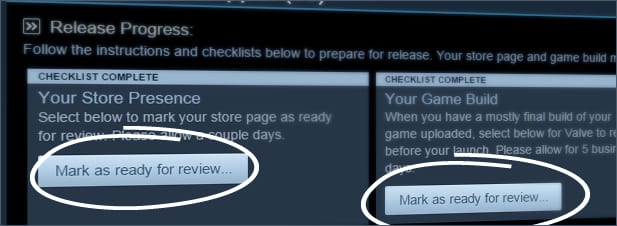
Valve's store review "typically takes 3-5 business days," and it asks you to submit "at least 7 business days before you want it live" so you have time to fix anything it flags (review process). According to that page, reviewers check that:
- The page only describes features and content that will be in the game at launch.
- Capsule images show a readable game title or logo.
- The description is detailed, coherent and has no links to other websites.
On screenshots, Valve changed the rules in November 2026. You can now upload menus, concept art and cinematics as long as you tag them in the right category, but the store requires five screenshots categorized as gameplay, and screenshots still cannot carry marketing copy (Valve, November 2026).
You must submit the store page before Valve will look at your build (Releasing on Steam).
Step 6: Post as Coming Soon
Approval does not make the page public. You have to click the green "Post as Coming Soon" button yourself (Coming Soon docs). For a new product the page must be public for at least two weeks before you can release.
Two weeks is the minimum, not a plan. Once the page is public, players can wishlist the game, and when you release, Steam emails everyone who has it on their wishlist (Coming Soon docs). Valve recommends posting it as soon as you are ready to talk publicly about the game; see when to make a Steam page.
Step 7: Upload the build and pass build review
Upload a near final default branch build. Valve's reviewers install and play it. They check that it launches on every operating system you list, that every listed feature is actually in the build, and that in-game purchases go through Steam Wallet. If a feature is not ready, take it off the store page rather than hoping it slips through (review process).
Timing is the part that changed this autumn. Valve's docs say build review "typically takes 3-5 business days" and to plan for at least 7. In November 2026 Valve said it was "running a little behind right now and taking up to 12 business days," with much of the delay caused by re-reviewing games that failed the first time (Valve, November 2026). If your date is fixed, submit the build three weeks out.
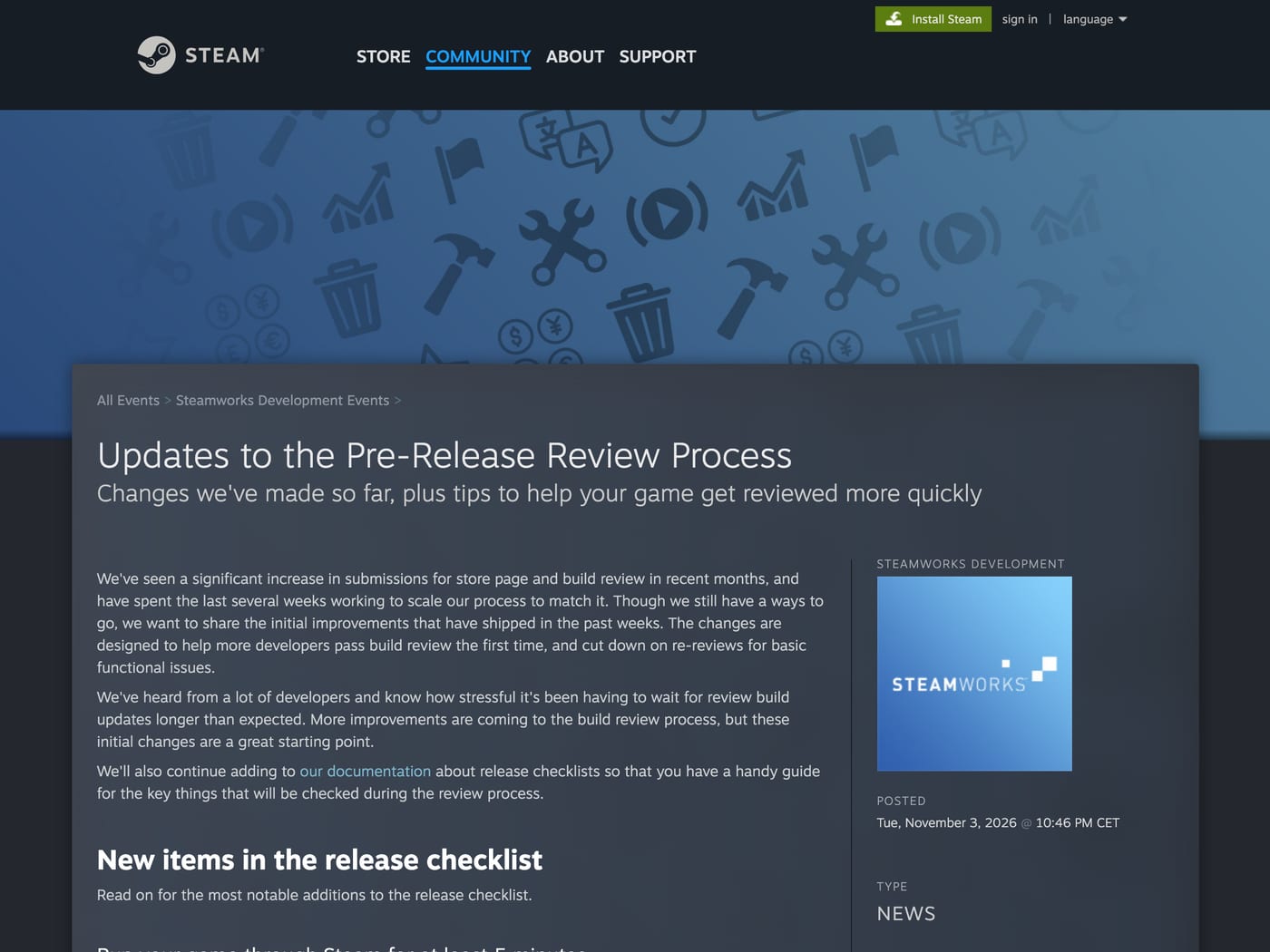
The same announcement added new release checklist items. The 5 minute playtime is required before you can submit; the others ask you to confirm or fix configuration:
- Play through Steam for 5 minutes. Launch the game with the green Play button in the Steam client for at least 5 minutes. Any user's playtime counts if it is from the last 7 days, or since your last build if that was uploaded more than 7 days ago.
- Redistributables. Tell Steam which common redistributables (DirectX, Visual C++, .NET and so on) to install, or confirm you need none.
- Achievements. Valve now flags missing names, missing icons and duplicate names.
- Steam Cloud. If you list it, someone in your partner group must write a save to the cloud.
- Review notes. You confirm listed languages are in the build and can give reviewers test accounts for multiplayer.
Valve also compares the build against your content survey, including mature content and AI usage disclosures (Valve, November 2026).
Step 8: Set the price and an optional launch discount
Our pricing guide covers what to charge. The rules for a launch discount, from Valve's discount docs:
- It starts the moment you release and runs for 7 to 14 days, ending at 10am Pacific on the chosen day.
- The limit is 40%. Valve suggests around 10% to 15% if you use one.
- It is configured just below your release date on the app landing page, not in the regular discount tool.
Step 9: Press Release App
Valve does not release approved games for you. Once the store page is approved, Coming Soon has been public for at least two weeks and the build has passed review, a green "Release App" button appears at the top of your app landing page. You press it at the exact moment you want to go live (Releasing on Steam).
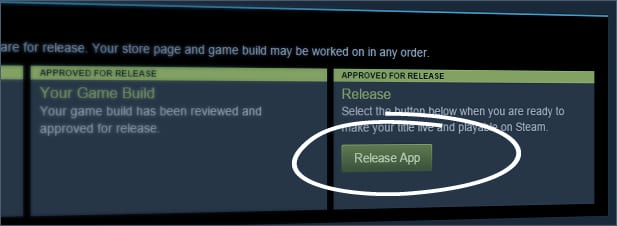
Steamworks then shows a summary of what it will do: publish the store package, start your launch discount if you set one, mark the game as playable and released, and stamp the release time as "NOW." You click "Publish Now," confirm, then click "Release Now" (Releasing on Steam).
Two things to check before release day:
- Permissions. The person pressing the button needs both the permission to publish app changes and the permission to manage pricing and discounts. Without both, the release fails (Releasing on Steam). Test this a week before, not ten minutes before.
- Who is awake. Release at an hour when your team can watch forums and crash reports for the next several hours. Steam emails your wishlisters at release, so that is when the most people try the game.
The fastest realistic calendar
Counting from the day you pay the fee, assuming nothing fails review:
- Day 0: Sign up, pay the fee, submit bank and tax details.
- Day 1 to 7: Finish the store checklist and submit it.
- Around day 14: Store page approved, post as Coming Soon.
- Around day 21: Submit the build (up to 12 business days at November 2026 pace).
- Day 28 to 40: Earliest realistic release, once Coming Soon has been public for two weeks and the build is approved.
That is the floor. Two weeks of Coming Soon leaves almost no time to collect wishlists, so most studios post the page months earlier.
FAQ
How much does it cost to publish a game on Steam?
The Steam Direct fee is $100 per game, plus any VAT or similar tax in your country (Steam Direct fee).
Do you get the $100 Steam Direct fee back?
Yes, once the game reaches $1,000 in Adjusted Gross Revenue from Steam store or in-app purchases. It is repaid in the next payment and shown as its own line in your report (Steam Direct fee).
How long does it take to get a game on Steam?
At minimum about four to six weeks for a first game: a 21 day wait after paying the fee, two weeks of public Coming Soon, and store and build reviews of 3 to 5 business days each, with build review recently taking up to 12 (onboarding, Valve, November 2026).
Can I publish on Steam as an individual without a company?
Yes. Choose "Sole Proprietorship" and enter your legal name as the company name. Your bank account must be in that same name (onboarding).
Is the Steam Direct waiting period 30 days?
The current rule is 21 days between paying the fee and releasing, for your first few titles. The 30 days in Valve's docs refers to tax verification (onboarding).
Does Steam release my game automatically on the release date?
No. You press Release App yourself at the moment you want to launch (Releasing on Steam).
Do I need to pass review again for every update?
No. After approval you can update as often as you like without another review (review process).
Sources: Steamworks onboarding; Steam Direct fee; Review process; Releasing on Steam; Coming Soon; Discounts; Payments FAQ; Updates to the Pre-Release Review Process, Valve; checked November 2026.
Get a wishlist forecast for your game
Send us your Steam page. We estimate views, creators and cost per wishlist before you spend anything.
Keep reading
How Many Copies Do Indie Games Sell? Real Steam Numbers by Tier
Most Steam indie games sell under 1,000 copies. Real numbers by tier…
Game Marketing Hook: How to Find, Test and Show Yours
What a game marketing hook is, how to test one cheaply with…
How to Name Your Game: Searchable, Memorable and Legally Safe
How to name your game: pass the Steam, Google and trademark checks…