Steam Personal Calendar: How It Picks Games and How to Get On It
How Steam's Personal Calendar picks games for each player, the eligibility rules, the release date trap and how to plan your launch around it.
Short answer: the Steam Personal Calendar is a personalized list of new and upcoming releases on the Steam Store front page and on its own page. Steam finds players with play habits similar to yours and shows you the upcoming games those players have wishlisted. To appear, your game needs a visible Coming Soon page with a specific release date. There is no wishlist minimum, and if you delay launch by more than 24 hours inside the last two weeks, your game drops off the calendar until release (Steamworks docs). Nobody can pay for a spot (Valve, October 2026).
What the Personal Calendar is
Valve launched the calendar as a Steam Labs experiment in October 2025. In June 2026 it moved onto the store front page as part of the home page refresh (Valve, June 2026). On October 23, 2026 it left Labs and became a full store feature at store.steampowered.com/personalcalendar (Valve, October 2026).
Players see it in two places:
| Where | What it shows |
|---|---|
| Store front page | This week, two weeks back and two weeks ahead |
| Dedicated calendar page | Eight weeks of releases, day by day |
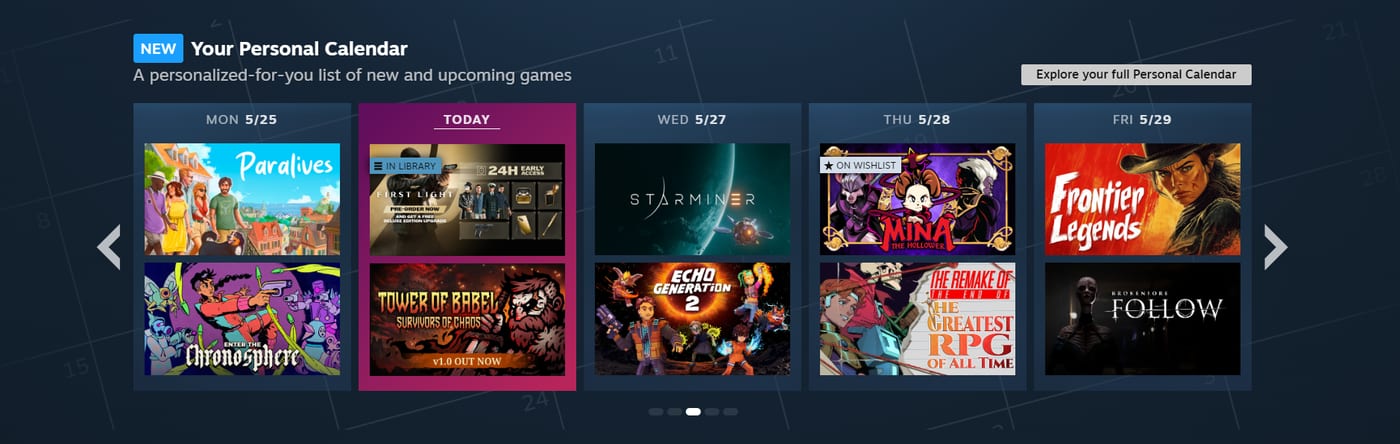
It works on desktop, mobile and SteamOS devices. Valve says players click on more than 2,000 different games in the calendar in an average 24 hours (Valve, October 2026).
Valve built it for the gap between other front page sections: some lean to popular games, others to games similar to what you play no matter when they came out. The calendar is meant to surface popular and niche games that are new or about to launch. In the same June update Valve changed Popular Upcoming to "better capture the most anticipated releases of the coming month" and pointed players who want niche releases to their calendar (Valve, June 2026). For a smaller game, we'd read that as the calendar being the more realistic spot to land.
How Steam picks games for each calendar
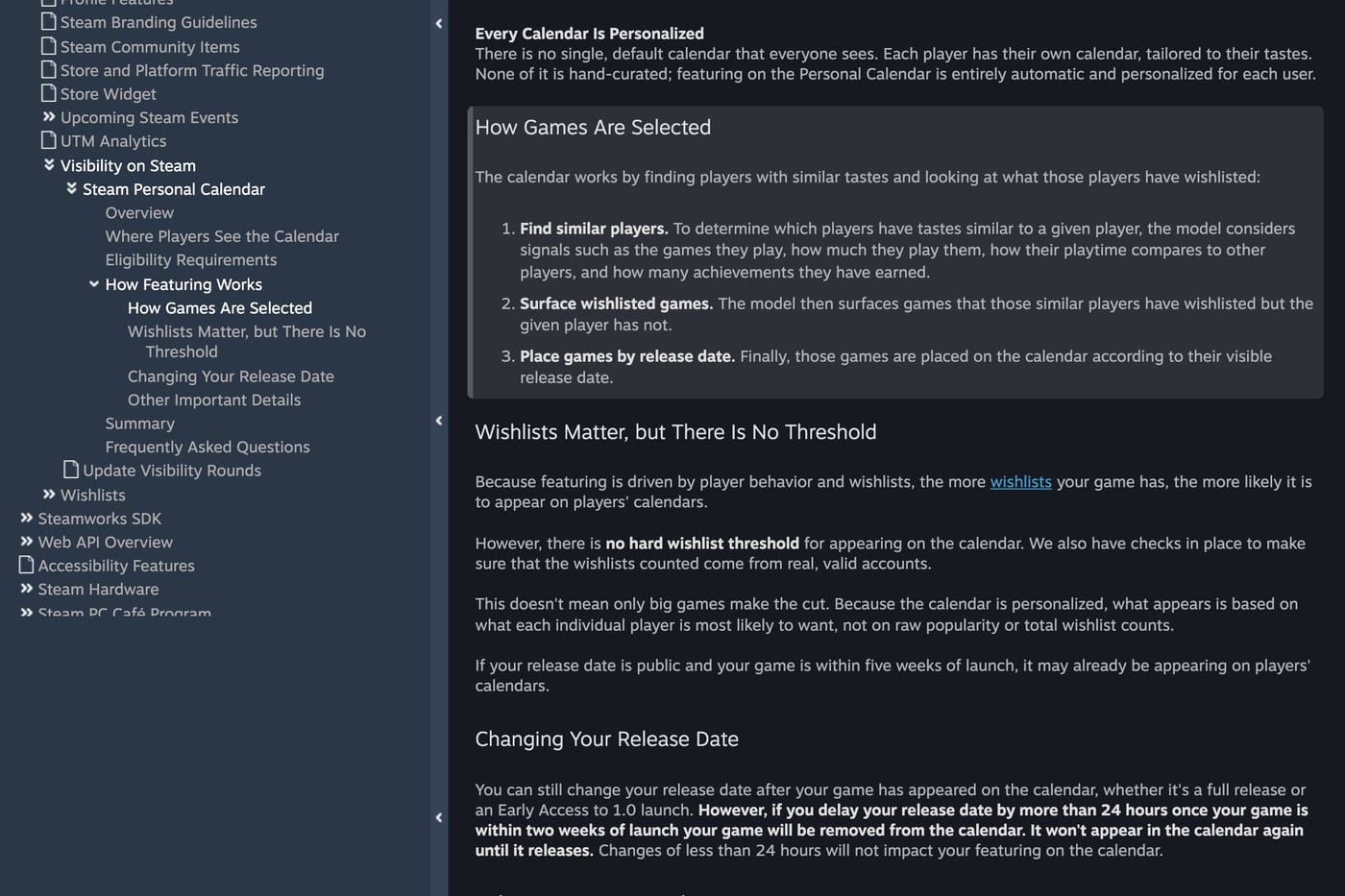
From the Steamworks documentation, the model works in three steps:
- Find similar players. It looks at the games a player plays, how much they play them, how that playtime compares to other players, and how many achievements they've earned.
- Surface what those players wishlisted. It shows games that the similar players have wishlisted but this player hasn't.
- Place them by release date. Each game sits on the day of its visible release date.
The announcement adds that the system focuses on the games you play the most: "a few minutes trying out a new game or two won't have much impact on your recommendations, but sinking a bunch of time into a new favorite will." It also looks at games similar players are playing, not only wishlisting, and the model is retrained daily (Valve, October 2026).
A few things Valve is explicit about:
- No paid placement. "We don't sell placement on the Steam Personal Calendar, or anywhere else on Steam" (announcement).
- Not hand-curated. Asked if someone at Valve can add a game manually, the answer is "No."
- No wishlist threshold. More wishlists raise the odds, but there's no minimum, and Valve checks that counted wishlists come from real, valid accounts.
- No single calendar. "There is no single, default calendar that everyone sees."
- Wishlisted games always show. A game already on a player's wishlist appears on their calendar as a reminder, unless the player hides wishlisted games.
What this means for your game
Read the three steps from your side. Your game reaches a player when people with similar play habits have it on their wishlist. So the calendar takes the audience you already have and finds more people like them.
That makes who wishlists your game matter, not only how many. Wishlists from players who live in your genre push the game toward more players like them. Wishlists from people who don't play games like yours point the model at the wrong crowd. This is our reading of Valve's description, not something Valve states, but it follows directly from how the steps work. Valve's own advice in the same docs points the same way: "Focus on building healthy, organic wishlists." Giveaway and follow-for-follow wishlists likely help less than their count suggests.
Eligibility rules
| Rule | Detail |
|---|---|
| Coming Soon page | Must be visible, with a specific release date |
| Early Access | Works for the move to 1.0 too, once you set a 1.0 date |
| How fast | Can start appearing within about a day of becoming eligible |
| Dedicated page | Set your date at least 60 days ahead (Valve's tip) |
| Front page | Set your date at least three weeks ahead (Valve's tip) |
| Already showing? | If your date is public and you're within five weeks of launch, you may already be on calendars |
| Demos | Never appear |
| DLC | Appears only for players who own the base game |
| Weekends | Calendar shows Monday to Friday; a Saturday or Sunday release shows on the next Monday |
| Reviews | At Mostly Negative, a game is "much less likely to be recommended" |
Source: Personal Calendar docs.
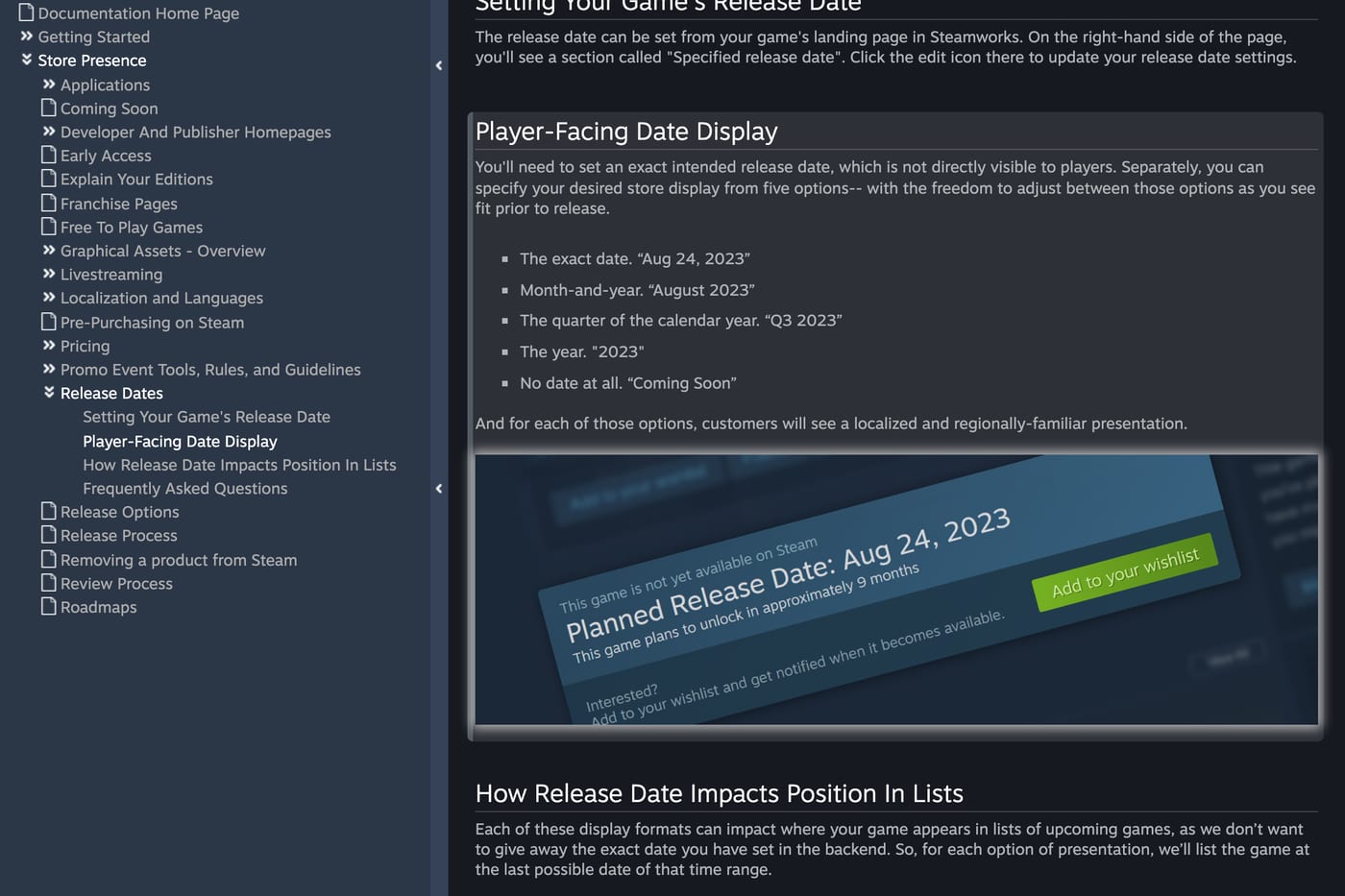
Month or quarter on your store page. Steamworks always asks for an exact internal date, and lets you show players the exact date, a month, a quarter, a year or no date at all. In upcoming lists, a vague date sorts as the last day of its range (release date docs). The calendar docs only say "a specific release date" and don't say which of those display options counts. If you want the calendar, showing the exact date removes the doubt.
Early Access. On the Early Access tab of the store page editor there's a date picker for your planned 1.0 release. Valve added it while the calendar was in Labs, specifically so 1.0 launches could appear (Valve, October 2026). More on the 1.0 launch in Steam Early Access marketing.
The release date trap
This is the rule that costs studios the most:
"if you delay your release date by more than 24 hours once your game is within two weeks of launch your game will be removed from the calendar. It won't appear in the calendar again until it releases."
Changes under 24 hours don't matter, and moving the date earlier doesn't hurt (Steamworks docs). The general release date docs say you can change the date up to two weeks before it, after which the game starts showing more in upcoming lists and the date locks (release date docs). So a late delay usually means going through Valve, and losing the calendar comes on top of that.
In practice: commit to the date before the last two weeks, and leave room for Valve's build review. Valve's docs ask for at least 7 business days, and in November 2026 Valve said review normally takes 3 to 5 business days but currently takes up to 12 (Valve, November 2026). A build that's late for review can push you into exactly the delay that removes you. The full timeline is in the Steam launch checklist.
What studios have seen
Valve doesn't publish wishlist numbers for the calendar. The public data so far comes from developers, collected by GameDiscoverCo in June 2026, right after the calendar reached the front page (GameDiscoverCo):
- One game GameDiscoverCo tracked (unnamed) got 300 to 500 wishlists a day before the change. Right after the redesign, already within 30 days of launch, it jumped to 5,000 to 6,000 a day, settled at 3,000 to 4,000, and hit about 10,000 a day once it reached the front page's "out this week" slot.
- The horror game Karjala, with about 1,000 wishlists, doubled them in two days.
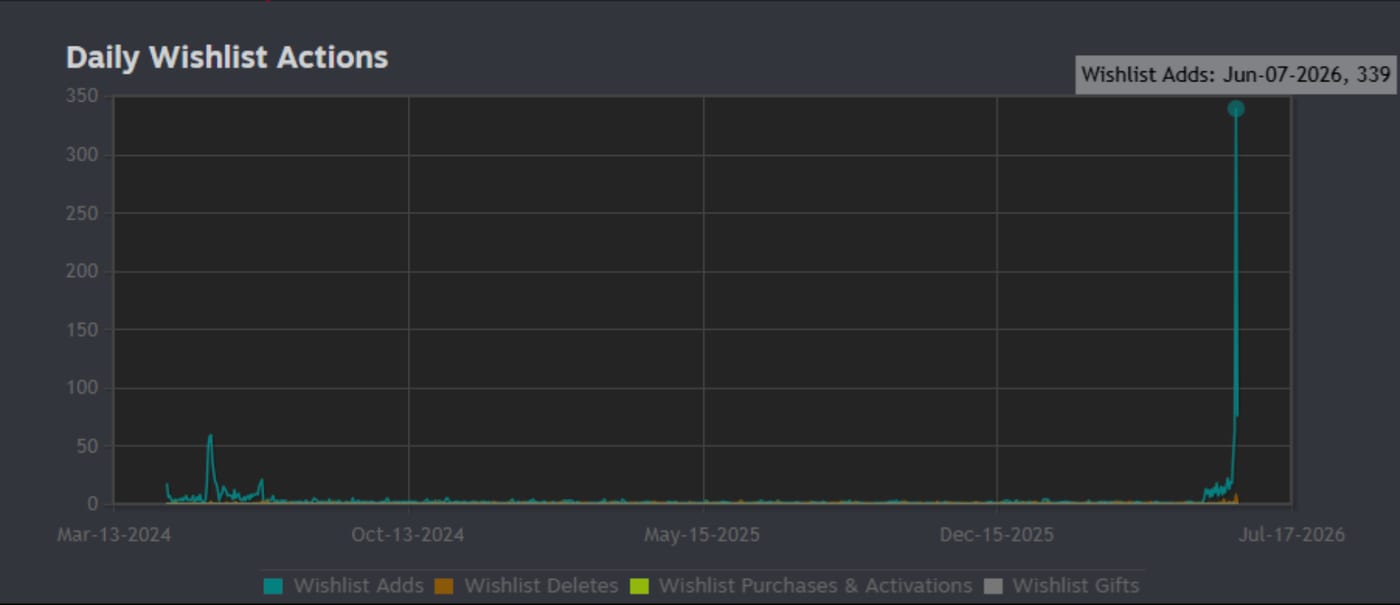
GameDiscoverCo's read: if your game already has decent wishlists, expect a big run-up in the month before launch. They expect many of those wishlists to be casual ones, less likely to buy on day one but banked for your later discounts. As one developer in their Discord put it, the calendar won't save a game that lacks public interest. These are reports from individual games, not averages.
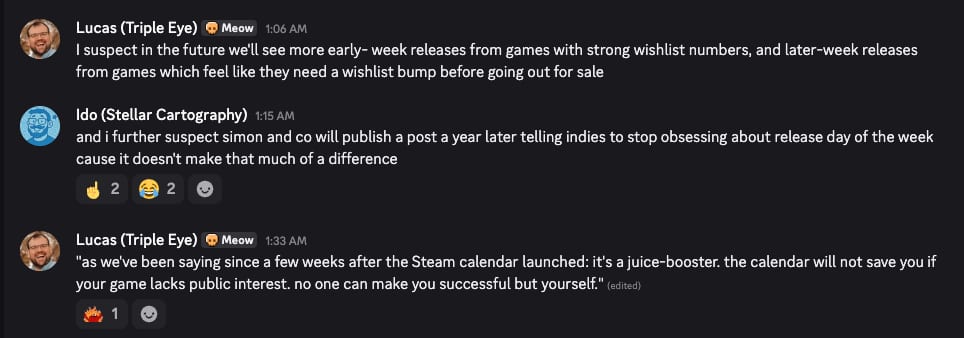
The run-up also changes how you read wishlist conversion: a late surge of casual wishlists can lower your day one conversion rate even when launch sales go up.
How to plan your launch around the calendar
1. Announce an exact date early
Lock the date at least 60 days out so you sit on the dedicated page for its full eight weeks. If you're not ready to commit, read when to make a Steam page first: a Coming Soon page without a date still collects wishlists, it just isn't on calendars yet.
2. Build the right wishlists before the window opens
Since the calendar recommends your game to players similar to the ones who wishlisted it, the weeks before the window are when wishlist quality pays off twice. A creator campaign aimed at players of your genre brings wishlists from exactly the profiles you want the calendar to copy.
Timing matters too. Valve says a game within five weeks of launch may already be on calendars, and the front page widget covers two weeks ahead. Creator videos that land in the last four to six weeks before launch add wishlists while the calendar is already showing your game, so each new wishlist both reminds that player and feeds the model.
3. Release on a weekday
The calendar only shows Monday to Friday. A Saturday release appears on Monday, next to Monday's launches, and loses the day it was meant to have. Valve also generally doesn't recommend weekend launches because its team isn't available to help then (release date docs).
4. Don't slip in the last two weeks
Treat the two week mark as a hard lock. If the build isn't ready, decide before then.
5. Protect your reviews after launch
The front page widget also shows the last two weeks of releases, so the calendar keeps sending players after launch. A review score at Mostly Negative cuts that off. How to get more Steam reviews covers what you can do within Valve's rules.
How the calendar fits with the rest of Steam
The calendar sits on top of the same signals that drive the rest of Steam's visibility: what players play and wishlist, and how your game sells and reviews once it's out. How the Steam algorithm works covers the rest, and the Steam wishlist calculator helps you estimate what your wishlists mean for launch.
FAQ
What is the Steam Personal Calendar? A personalized list of recent and upcoming releases on the Steam Store front page and on its own page. Each player sees games that players with similar play habits have wishlisted.
How do I get my game on the Steam Personal Calendar? Publish a visible Coming Soon page with a specific release date. Valve recommends setting the date at least 60 days ahead for the dedicated page and three weeks ahead for the front page. There's no application and no wishlist minimum.
Can I pay to be featured on the Personal Calendar? No. Valve doesn't sell placement on the calendar or anywhere else on Steam, and the calendar isn't hand-curated.
How many wishlists do I need to appear on the calendar? There's no minimum. More wishlists make it more likely, but each calendar is personalized rather than ranked by total wishlists.
What happens if I delay my release date? If you delay by more than 24 hours inside the last two weeks before launch, your game is removed from the calendar until it releases. Changes under 24 hours and moving the date earlier don't affect it.
Do demos appear on the Steam Personal Calendar? No. Demos don't appear. DLC appears only for players who own the base game.
Can Early Access games appear on the calendar? Yes, for the move to 1.0. Set a planned 1.0 date with the date picker on the Early Access tab of your store page editor.
Sources: Steamworks documentation on the Personal Calendar and release dates; Valve announcements on the home page refresh (June 2026), the Personal Calendar full release (October 2026) and build review times (November 2026); developer reports collected by GameDiscoverCo (June 2026). Checked November 2026.
Get a wishlist forecast for your game
Send us your Steam page. We estimate views, creators and cost per wishlist before you spend anything.
Keep reading
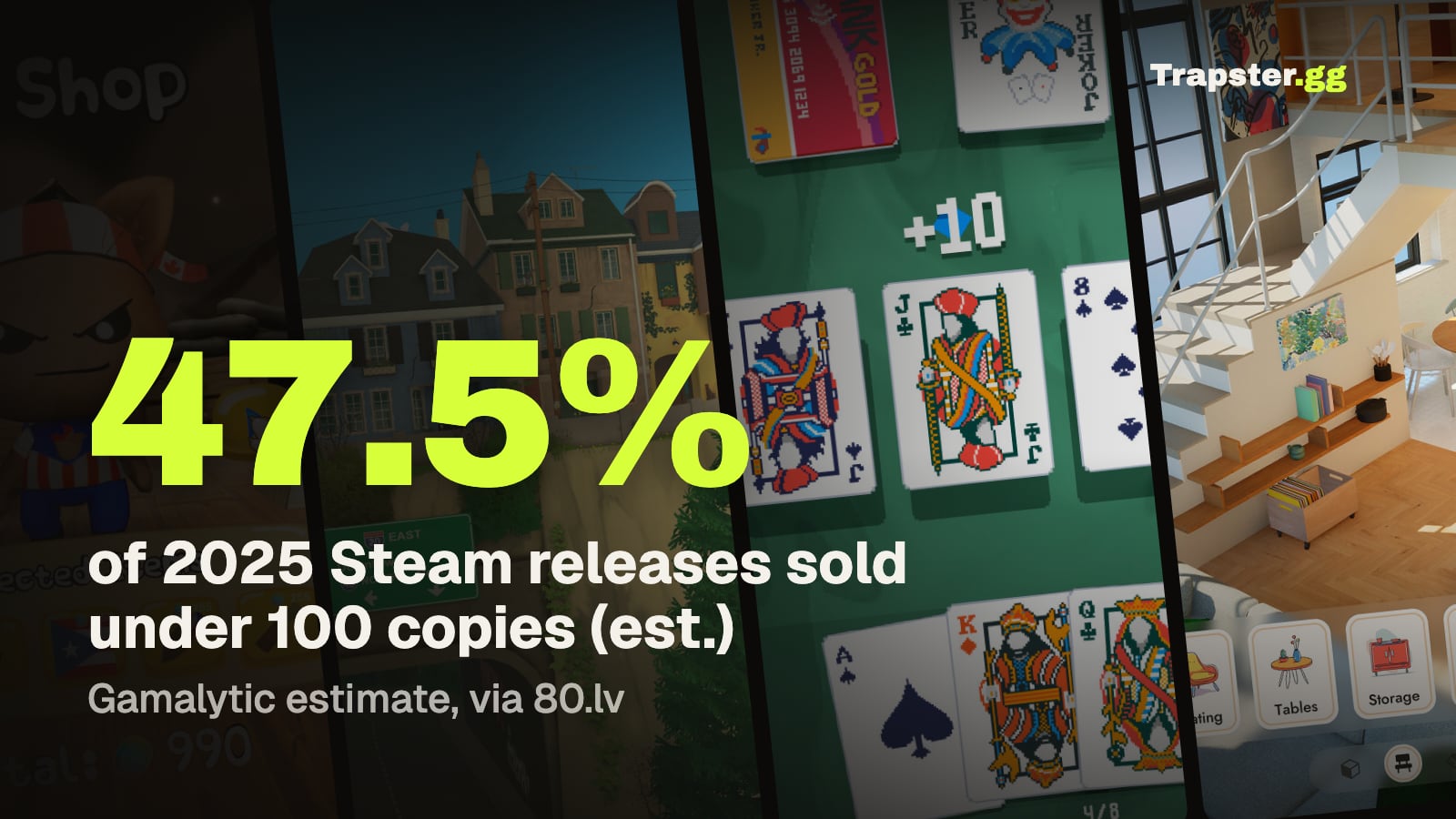
How Many Copies Do Indie Games Sell? Real Steam Numbers by Tier
Most Steam indie games sell under 1,000 copies. Real numbers by tier…
Game Marketing Hook: How to Find, Test and Show Yours
What a game marketing hook is, how to test one cheaply with…
How to Name Your Game: Searchable, Memorable and Legally Safe
How to name your game: pass the Steam, Google and trademark checks…